Event Photo Galleries for Photographers: Workflow, Delivery and Sales
Event photography success depends on three things: capturing great shots, delivering them professionally, and standing out from competitors who all promise the same thing. The photographers thriving in 2025 aren't just better at the first part—they've revolutionized the second and third through smart gallery technology.
This guide shows professional photographers how to streamline client delivery, add revenue streams, and create experiences that generate referrals—all while spending less time on post-event logistics.
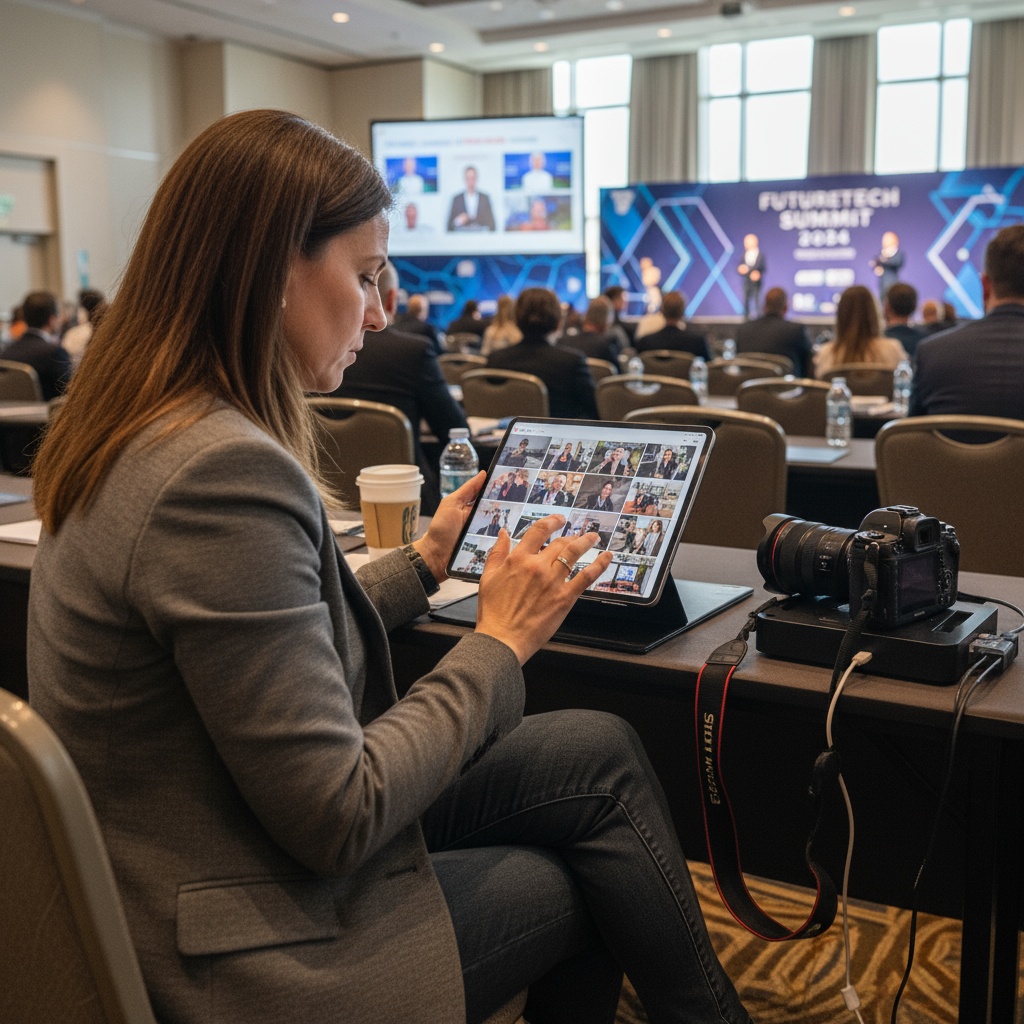
The Modern Event Photographer's Challenge
Traditional workflow looked like this:
- Shoot event (8-10 hours)
- Import and cull (4-6 hours)
- Edit selections (8-12 hours)
- Upload to gallery (2 hours)
- Email clients link (manual process)
- Field download questions (ongoing)
- Chase payments (if selling prints)
Timeline: 2-3 weeks from event to delivery.
Client experience: Waiting, then navigating yet another gallery platform, then figuring out downloads.
Your experience: Days of post-production before earning, limited differentiation from competitors.
There's a better way—one that saves you time while improving client satisfaction.
Live Event Photography: The Game Changer
Imagine this instead:
During the event: Your photos appear on screens in real-time as you shoot them. Guests see themselves, engagement skyrockets, your value becomes immediately visible.
Guest contributions: Attendees upload their own photos to the same gallery via QR codes, giving you hundreds of additional perspectives—without extra work.
Instant delivery: Gallery goes live during the event. No post-event delay, no upload hassle, just send the link.
Branded experience: Your logo, colors, and watermark throughout—reinforcing professionalism at every touchpoint.
Additional revenue: Upsell prints, premium edits, or extended access without handling fulfillment yourself.
This isn't theoretical. Photographers using modern gallery platforms like Fotify report 40% time savings on delivery logistics and 3x more client referrals.
Setting Up Your Professional Photography Workflow
Pre-Event Configuration
1. Create event in advance
- Set event date/details
- Apply your custom branding (logo, colors, watermark)
- Generate QR codes for client to display
- Configure privacy settings (password protection if needed)
- Set gallery access duration
2. Prepare your shooting workflow
- Use camera with WiFi/tethering capability (or Lightroom Mobile sync)
- Configure automatic upload to gallery as you shoot (optional)
- Set up backup storage simultaneously
- Test upload speed at venue during site visit
3. Client communication
- Send event link in advance
- Provide QR code files for signage
- Explain guest upload feature (value-add for clients)
- Set expectations on delivery timeline (same-day access!)
During Event
Shooting + live display:
If using live upload:
- Photos appear on displays within seconds of capture
- Guests see themselves immediately
- Creates buzz and excitement
- Your work becomes part of entertainment
If uploading in batches:
- Shoot tethered to iPad/laptop
- Upload best shots during downtime
- Still delivers same-day gallery
- Less pressure than continuous upload
Guest contributions:
- QR codes you provided let attendees add their photos
- They capture angles/moments you can't be everywhere for
- You moderate which guest photos appear publicly
- Final gallery combines pro + guest perspectives
Post-Event
Minimal effort delivery:
- Gallery is already live (guests accessed during event)
- Download all your shots + guest uploads
- Edit priority selections
- Add edited versions to gallery
- Client has immediate basic gallery + polished shots added later
Contrast with traditional:
- No waiting 2-3 weeks for delivery
- No separate upload/import/gallery setup
- Client already engaged with gallery during event
- You control timeline for adding edited upgrades
Revenue-Enhancing Features for Photographers
1. Tiered Gallery Access
Basic (included in booking):
- Standard web gallery
- Downloads for social media
- 30-day access
Premium (upsell):
- Download access to all photos
- Print ordering integration
- Extended/permanent access
- No watermarks on downloads
Conversion: 25-40% of clients upgrade when presented with clear value.
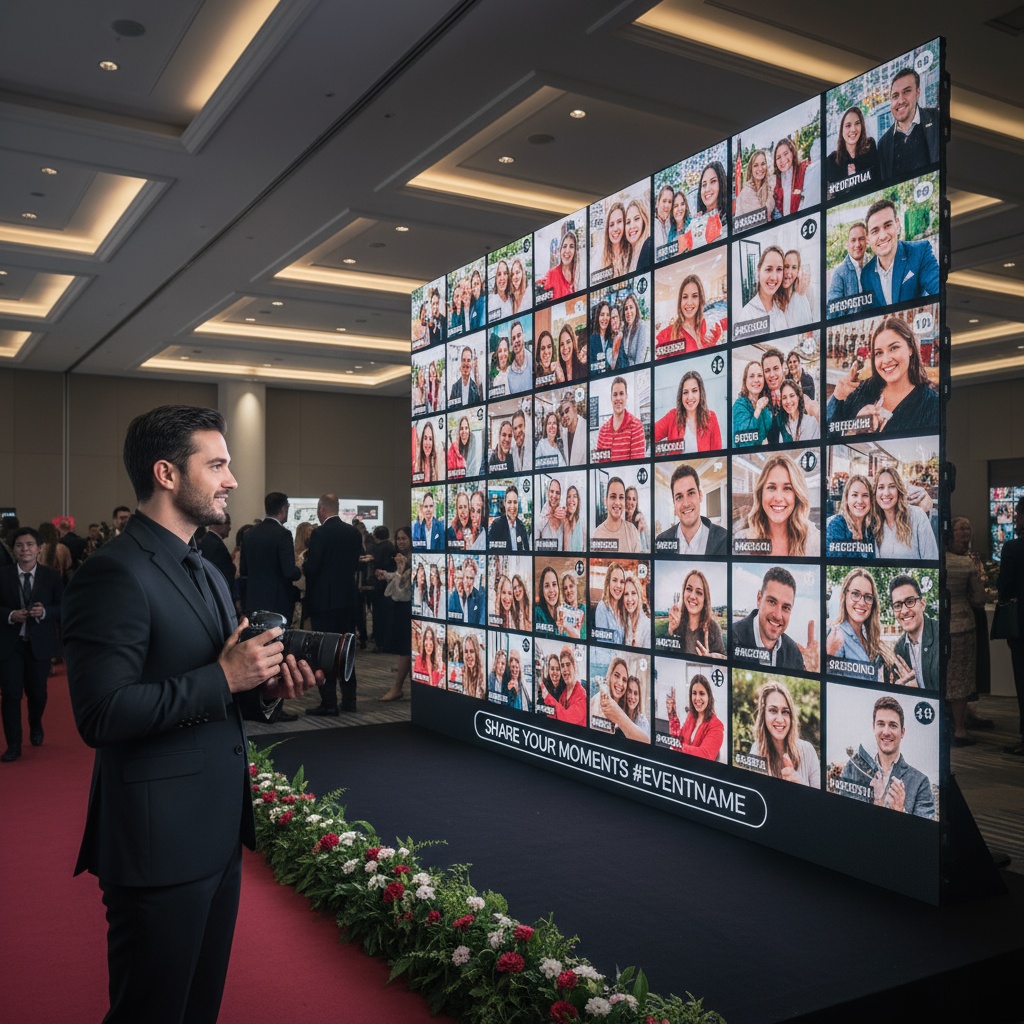
2. Live Event Display as Service
Offer as add-on:
- "Live Photo Wall Experience" for $200-$500
- You provide TV/projector setup + technical management
- Photos display in real-time during event
- Creates premium atmosphere
Client benefits:
- Entertainment for guests
- Immediate social proof (guests see your work quality live)
- Unique offering competitors don't provide
Your benefits:
- Additional revenue per event
- Stronger portfolio differentiation
- Clients remember and refer more
3. Guest Photo Collection Service
Positioning:
- "Complete Event Coverage Package"
- Include guest upload feature
- You moderate and curate final gallery
- Clients get professional + candid perspectives
Value proposition:
- No moment goes uncaptured
- Guests feel involved
- You didn't need to be in multiple places simultaneously
- Clients love having every angle covered
Pricing: Add $100-$300 to package for this feature
4. Print Fulfillment Integration
How it works:
- Gallery connects to print service
- Guests order directly from your gallery
- Print partner fulfills and ships
- You earn commission without handling logistics
Revenue model:
- Markup prints 20-40%
- Passive income after event
- No inventory or shipping hassle
Branded Gallery: Your Professional Edge
Generic galleries make you forgettable. Branded galleries reinforce your business at every interaction.
Branding Elements
Visual identity:
- Your logo prominently displayed
- Brand colors throughout interface
- Custom watermark on photos
- Consistent typography
Custom domain (premium):
- galleries.yourphotocompany.com
- Instead of platform.com/event123456
- Professional impression
- Easier for clients to remember
Personalized experience:
- Welcome message from you
- Behind-the-scenes shots of you working
- Bio/about section
- Links to your website and social media
Why It Matters
Client perception:
- "This photographer is professional and established"
- vs "They're using the same free tool as everyone else"
Referrals:
- Guests see your branding throughout experience
- Easy to find you for their own events
- Brand reinforcement at every photo view
Portfolio showcase:
- Every event gallery doubles as marketing
- Potential clients see your actual work in real gallery context
- Social proof via engagement metrics
Technical Considerations for Photographers
Camera and Equipment
WiFi-enabled cameras:
- Canon R5/R6, Sony A7 series, Nikon Z series
- Direct upload capability
- Real-time gallery sync
Tethered shooting:
- Lightroom Classic tethered to laptop
- Immediate preview and upload
- More control over selections
Mobile workflow:
- Lightroom Mobile + camera WiFi
- Shoot, import to mobile, sync to cloud, displays update
- Lightweight setup
Internet Connectivity
Venue WiFi:
- Test during site visit
- Have backup plan (venues oversell WiFi capacity)
Personal hotspot:
- Dedicated mobile hotspot device
- Unlimited data plan
- More reliable than venue WiFi
- Investment: $50/month for unlimited plan
Offline resilience:
- Platforms with offline queue
- Photos upload when connection restored
- No lost work due to temporary outages
File Management
Simultaneous backup:
- Gallery upload ≠ only backup
- Shoot to dual card slots
- Sync to portable SSD simultaneously
- Cloud backup overnight
Raw + JPEG workflow:
- Upload JPEGs for immediate gallery
- Keep RAWs for post-processing
- Add edited versions to gallery later
Client Communication Templates
Pre-Event Email
Hi [Client],

Excited for [event name] on [date]! A few details about photo delivery:

- Gallery will be LIVE during your event—guests can view photos in real-time
- I'll provide QR codes for guests to add their own photos too
- You'll have immediate access (not 2-3 weeks like most photographers)
- I'll add professionally edited highlights within [X days]

Gallery link: [URL]
Password: [if applicable]

See you soon!
[Your Name]
Post-Event Follow-Up
Hi [Client],

What an amazing [event type]! Your gallery is already live at [URL] with [X] photos.

I'm currently editing my favorite shots and will add polished versions within [timeframe]. Guest photos are being moderated and approved—you'll see those appear as I review them.

Want to upgrade to high-res downloads and print ordering? Reply and I'll send details.

Thanks for choosing [Your Business]!
Competitive Advantages This Creates
vs Traditional Photographers
You offer:
- Same-day gallery access
- Live display experience
- Guest photo integration
- Branded professional delivery
They offer:
- 2-3 week wait
- Generic gallery link
- Photos only from their perspective
vs Photo Booth Services
You offer:
- Professional quality PLUS fun instant sharing
- Guest uploads supplement your work
- Full event coverage (not just booth area)
They offer:
- Limited scope (booth only)
- Amateur photo quality
- Props ≠ professional photography
ROI on Technology Investment
Costs:
- Gallery platform: $20-$50/month (premium tier)
- Mobile hotspot: $50/month
- Equipment already owned
Returns:
- Time savings: 15-20 hours per event (faster delivery workflow)
- Upsells: $100-$500 per event (display service, premium access, guest features)
- Referrals: 2-3x increase from unique offering
- Higher booking rates: Stand out from competitors
Payback: 1-2 events at most
Getting Started Checklist
- Sign up for gallery platform with photographer features
- Upload branding assets (logo, colors)
- Test workflow with practice event
- Create QR code templates for clients
- Prepare client communication templates
- Set pricing for add-on services
- Update website/portfolio to showcase capability
- Photograph sample event using platform
- Add testimonials and samples to marketing
- Pitch existing clients on upgrade for next event
FAQs for Event Photographers
Do I need special equipment for live gallery uploads?
Not necessarily. While WiFi-enabled cameras simplify the process, you can use Lightroom Mobile on your phone + camera WiFi, or tethered shooting to a laptop. Many photographers start with basic batch uploads (shoot, then upload during breaks) and upgrade workflow as needed.
Can I control which photos appear in the client gallery?
Yes. Modern platforms offer moderation queues where you review and approve photos before they're visible. This applies to both your uploads and guest contributions. Clients only see curated, approved images—you maintain full creative control.
How do I price gallery services for clients?
Include basic gallery in your standard package. Offer premium upgrades: live display service ($200-$500), extended access ($50-$150), download access ($100-$200), or guest photo collection ($100-$300). Present as optional add-ons that enhance experience.
What about copyright and licensing with guest photos?
Your platform terms should clarify that you control the gallery and guest uploads are contributions to the event collection. Include licensing terms in your client contract specifying usage rights. Most photographers grant clients personal use rights while retaining copyright.
Is this replacing professional photo editing?
No—it complements it. Live galleries provide immediate client satisfaction with unedited photos. You still edit priority selections and add polished versions later. Clients get instant gratification + professional quality, and you control the timeline for delivering edited work.
Can I use this for multiple event types?
Absolutely. Works for weddings, corporate events, parties, conferences, sports events, performances—any occasion where photos matter. Adjust branding, moderation settings, and features based on event type and client needs.
How do clients feel about guest photo uploads?
They love it. Clients appreciate having comprehensive coverage from multiple angles without paying for additional photographers. You moderate quality, so only appropriate photos appear. It's value-added service differentiating you from competitors.
What's the learning curve for photographers?
Minimal. Most platforms are designed for quick setup. Allow 30-60 minutes to configure your first event, test uploads, and familiarize yourself with moderation tools. By your second event, setup takes under 10 minutes.
Elevate Your Photography Business
Modern event photography isn't just about capturing moments—it's about delivering experiences that clients remember and refer. The photographers booking consistently at premium rates aren't necessarily better shooters; they're better at showcasing value through professional delivery.
Live galleries, branded experiences, and guest integration transform you from "photographer who takes pictures" to "event partner who creates comprehensive visual stories." That's a position worth paying premium rates for.
Ready to modernize your photography workflow? Explore Fotify's photographer features, see how live event displays work, and discover why professionals are choosing better photo delivery.
Want to see it in action? Create a test event free and experience the photographer workflow yourself.
Professional photography galleries with your branding, live displays, and guest contributions. Streamline delivery and stand out from competitors with Fotify.
Related Pages
Discover how Fotify can transform your events