QR Codes for Event Photos: Let Guests Upload Instantly
Want hundreds of candid photos from your wedding or event without chasing guests afterwards? QR codes have revolutionized how couples and event hosts collect photos—transforming the tedious task of gathering pictures into an instant, friction-free experience that actually works.
This guide shows you exactly how to use QR codes for wedding pictures and event photos, why they outperform traditional methods, and how to set up instant photo sharing that your guests will actually use.

Why QR Codes Solved the Wedding Photo Problem
Traditional photo collection methods create friction:
Email requests: "Can you send me those photos from the wedding?" → Most guests never follow through.
Social media: Scattered across platforms, compressed quality, privacy concerns, tagging chaos.
USB drives: Passed around at the reception, lost, forgotten, require post-event logistics.
Shared albums: Require app downloads, account creation, platform limitations (hello, Android users left out of iCloud).
QR codes eliminate every barrier. Guests scan once, upload instantly, and you collect everything in one private gallery—no apps, no accounts, no follow-up needed.
How QR Code Photo Sharing Works
The process is remarkably simple:
For Event Hosts
- Create your event on a photo sharing platform
- Generate your unique QR code (takes 10 seconds)
- Display it at your venue on signs, table cards, or screens
- Watch photos arrive in real-time throughout your event
For Guests
- Open phone camera (iPhone or Android)
- Point at QR code - no special app needed
- Tap the notification that appears
- Upload photos instantly through their web browser
That's it. No downloads. No account creation. No "I'll send them later" that never happens.
Setting Up QR Codes for Your Wedding Pictures
Here's exactly how to implement QR code photo sharing at your wedding or event:
Step 1: Choose the Right Platform
Not all QR code photo platforms are equal. Look for:
- No app requirement: Guests upload via browser
- Universal compatibility: Works on iPhone and Android
- Live display options: Show photos during your event
- Content moderation: Filter inappropriate uploads
- Photo downloads: Access all photos after the event
- Privacy controls: Password protection if needed
Fotify checks all these boxes and adds features like live photo walls and event collaboration boards.
Step 2: Generate Your QR Code
Most platforms provide:
- Unique QR code for your event
- Customizable design matching your theme
- Downloadable file for printing
- Short URL backup for digital sharing
Step 3: Design Your Signage
Make QR codes visible and attractive:
Welcome Table Sign:
- Large QR code (at least 4x4 inches for easy scanning)
- Clear instructions: "Scan to share your photos!"
- Your event hashtag or custom message
- Decorative design matching your theme
Table Cards:
- Smaller QR codes at each table (2x2 inches minimum)
- Brief instruction: "Share photos → Scan here"
- Encourages participation during dinner
Restroom Signs:
- Strategic placement where guests have downtime
- "While you're here, share your photos!"
Step 4: Strategic Placement
Display QR codes in high-traffic areas:
- Venue entrance - prime real estate where everyone passes
- Bar area - guests linger here, perfect for scanning
- Photo booth - immediate upload after taking pictures
- Guest book table - pair with traditional guest book
- Reception tables - table cards for seated guests
- Dance floor - near DJ or bandstand
Step 5: Announce It
Don't assume guests will notice:
- Ceremony programs: Include QR code and brief explanation
- DJ/MC announcement: "Scan the QR codes to share your photos and see them on the big screen!"
- Groomsmen/bridesmaids: Ask them to demonstrate early
- Social media: Pre-event posts explaining how it works
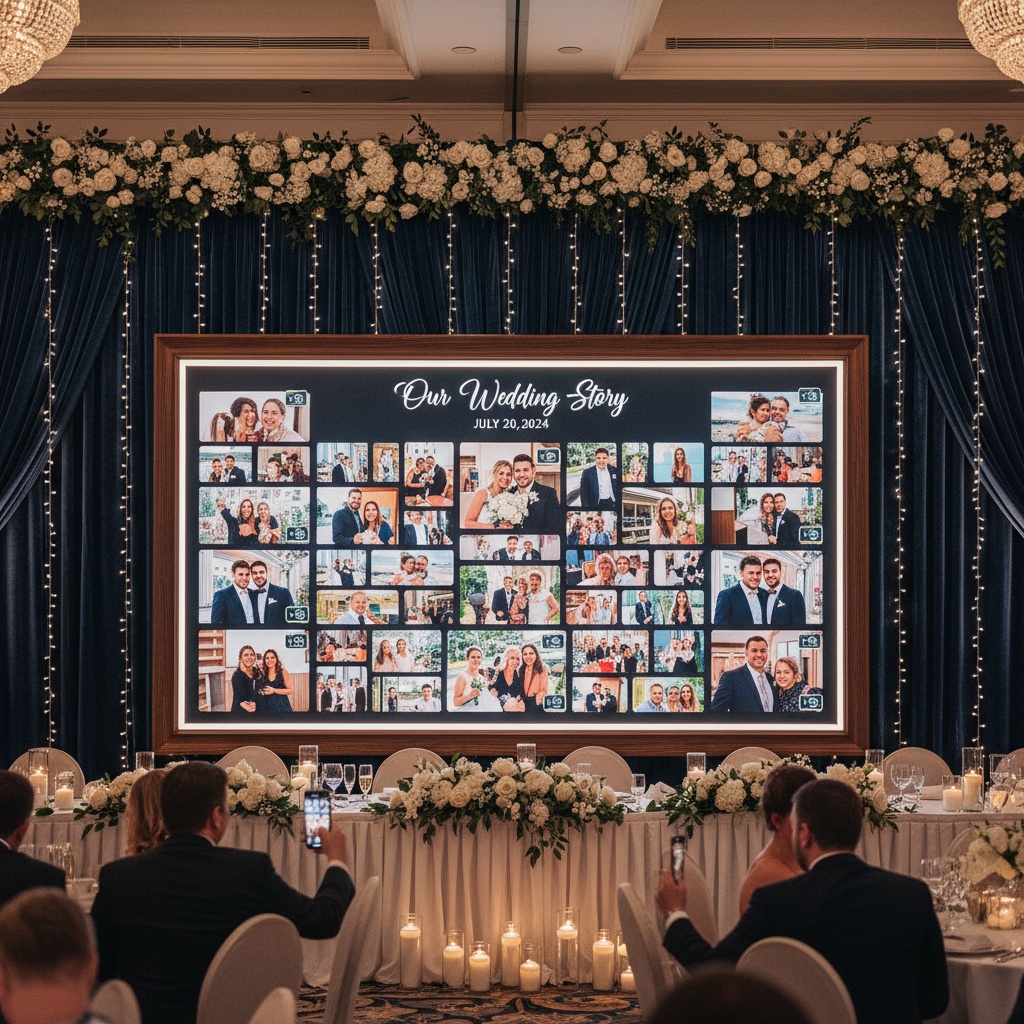
Step 6: Display Photos Live (Optional but Powerful)
Connect a TV or projector to show uploaded photos in real-time. This creates a feedback loop:
- Guest uploads photo
- Photo appears on screen within seconds
- Other guests see the engagement
- More guests want to participate
- Upload rate increases dramatically
QR Code Best Practices for Maximum Participation
Design Tips
Size matters: QR codes must be scannable from 3-4 feet away. Minimum 2x2 inches, ideal 4x4 inches or larger for welcome signs.
High contrast: Black QR code on white background scans best. Avoid low-contrast color combinations.
Test before printing: Scan your QR code with multiple phone models (iPhone and Android) to ensure it works.
Add logo/branding: Many platforms let you customize with your initials or small icon in the center—maintains functionality while adding personality.
Placement Strategy
Multiple locations beat single sign: Don't rely on one QR code at the entrance. Place 5-8 around your venue.
Eye level: Position signs at average adult eye level (5-6 feet high).
Well-lit areas: Dark corners mean difficult scanning. Place QR codes where there's adequate lighting.
Near photo opportunities: Position QR codes adjacent to photo booth, scenic backdrops, or Instagram-worthy spots.
Communication
Clear, simple language: "Scan to share your photos" beats technical jargon.
Show the benefit: "See your photos on the big screen!" motivates participation.
Lead by example: Have wedding party or event team scan early and demonstrate.
Repeat reminders: Don't announce once and forget. DJ/MC should remind guests 2-3 times.
Advanced QR Code Photo Features
Modern platforms offer more than just uploads:
Live Photo Moderation
Why it matters: At weddings and corporate events, you want control over what appears on public screens.
How it works:
- AI pre-filters inappropriate content
- You manually approve before display
- Guests see their photos in gallery immediately
- Only approved photos show on live screens
Password Protection
Use cases:
- Private family events
- Corporate events with confidential content
- Celebrity weddings requiring discretion
Implementation: QR scan leads to password entry page before upload access.
Multiple QR Codes, One Gallery
For large venues or multi-day events:
- Generate multiple QR codes
- All photos go to same gallery
- Track which QR code drove each upload
- Optimize placement based on engagement data
Guest Access After Event
The post-event experience matters:
- Share gallery link with all guests
- Password protection optional
- Allow downloads
- Set expiration (7 days, 30 days, 1 year, or indefinite)
- Track who accessed and downloaded
Comparing QR Codes to Other Photo Collection Methods
| Method | Setup Time | Guest Friction | Platform Limits | Real-Time Display | Success Rate |
|---|---|---|---|---|---|
| QR Code | 10 minutes | Very low (scan & upload) | None | Yes | 75-85% |
| iPhone Shared Album | 30 minutes | High (app, account, setup) | Apple devices only | No | 20-30% |
| Email requests | Ongoing | Very high (manual send) | N/A | No | 10-20% |
| Social media tags | None | Medium (privacy concerns) | Quality loss | No | 40-50% |
| Photo booth prints | 2 hours | Low (automatic) | Booth location only | Yes | 60-70% |
QR codes win on virtually every metric.
Troubleshooting Common QR Code Issues
"My QR code won't scan"
- Ensure high contrast (black on white works best)
- Increase size—too small means scan failures
- Check lighting—shadows or glare interfere
- Test with multiple phones before printing
"Guests aren't uploading photos"
- Increase visibility—more signs, better placement
- Add incentives—"Best photo wins a prize!"
- Demonstrate early—have bridal party scan first
- Announce multiple times—don't assume one reminder works
"Upload page is slow to load"
- Check venue WiFi strength
- Ensure platform uses mobile data as backup
- Test during setup, not just before event
- Have WiFi password visible near QR codes
"I'm getting inappropriate uploads"
- Enable content moderation features
- Use AI filtering as first line of defense
- Assign someone to monitor uploads
- Remember: moderation works behind scenes, doesn't slow uploads
Creative QR Code Display Ideas
For Weddings
Acrylic sign with gold frame: Elegant entrance display matching upscale wedding aesthetic.
Wooden rustic board: Perfect for barn or outdoor weddings with calligraphy instructions.
Mirror welcome sign: QR code incorporated into full-length ornate mirror at venue entrance.
Table number cards: Each table has QR code with unique table-specific message.
Photo booth props: QR code on reverse side of props—scan before posing.
For Corporate Events
Branded displays: QR code on pop-up banners with company logo and colors.
Conference badges: Print QR code on back of name tags for easy access.
Digital screens: Rotating QR code display between presentation slides.
Swag bags: QR code on included card or sticker.
For Birthday Parties & Social Events
Balloon arch backdrop: Large QR code incorporated into photo backdrop design.
Cake topper: Small elegant QR code topper next to cake (alongside photos).
Drink coasters: QR codes printed on custom coasters at bar.
Party favor bags: Include card with QR code and thank you message.
Frequently Asked Questions
How do I create a QR code for wedding photos?
Sign up for a photo sharing platform like Fotify, create your event, and generate your unique QR code in the dashboard. Download the QR code image and print it on signs for your venue. Guests scan the code with their phone camera to upload photos instantly—no app required.
Can guests upload photos without downloading an app?
Yes! That's the main advantage of QR code photo sharing. Guests scan the QR code with their built-in camera app (works on iPhone and Android), which opens a web page in their browser. They upload photos directly through the browser—no app download or account creation needed.
How do I print QR codes for my wedding?
Download your QR code as a high-resolution image (PNG or SVG format). Create signs using Canva, Photoshop, or hire a designer on Etsy/Fiverr. Print on card stock, foam board, or acrylic. Ensure QR codes are at least 2x2 inches for table cards, 4x4 inches or larger for welcome signs. Test scanning before your event.
Do QR codes work on both iPhone and Android?
Absolutely. Modern iPhones (iOS 11+) and Android phones (Android 8+) can scan QR codes using their native camera apps—no third-party scanner needed. Just open the camera, point at the QR code, and tap the notification that appears. This universal compatibility is why QR codes are perfect for events with mixed device users.
Can I display uploaded photos live during my event?
Yes! Most QR code photo platforms offer live display features. Connect a TV, projector, or tablet to your event's photo gallery, and uploaded images appear in real-time. You can choose carousel, grid, or slideshow formats. Enable content moderation to approve photos before they appear publicly if desired.
How many QR codes should I place at my wedding?
Place 5-8 QR codes minimum for a typical 100-150 guest wedding. Essential locations: venue entrance (1 large sign), bar area (1-2 signs), photo booth (1 sign), guest book table (1 sign), and table cards (1 per table or every other table). More QR codes = more visibility = higher participation.
What happens after my event ends?
After your event, download all uploaded photos (most platforms offer bulk download). Share the gallery link with guests so they can access and download photos too. You control how long the gallery remains accessible—typically 7 days to 1 year depending on your platform. Photos can be used for thank-you cards, social media, or printed albums.
How do I prevent inappropriate photos being uploaded?
Use a platform with content moderation features. Fotify offers AI filtering that automatically screens uploads, plus manual approval where you review photos before they appear on public displays. Guests' photos still appear in the private gallery immediately, but only approved photos show on screens during your event.
Making Your Event Photo Collection Effortless
QR codes transformed event photo collection from a post-event chore into an engaging real-time experience. No more follow-up emails, no more lost photos, no more platform barriers.
Your guests want to share their photos—you just need to make it ridiculously easy. A simple QR code scan removes every obstacle between "I took a great photo" and "it's in your gallery."
Ready to collect hundreds of photos effortlessly? Create your free event and get your QR code in seconds. Perfect for weddings, corporate events, birthdays, and any celebration where memories matter.
For more on modernizing your event photo experience, explore our guides on wedding guest books, live photo walls, and why live photo sharing is essential.
QR code photo sharing made simple with Fotify. No app downloads, universal compatibility, and live displays that create engagement. Start collecting memories today.
Related Pages
Discover how Fotify can transform your events