Wedding Photo App for Guests: Collect and Share Pictures Effortlessly
Traditional wedding photo galleries arrive 4-6 weeks after your celebration—a USB drive or password-protected website with your photographer's carefully curated selections. Beautiful, professional, but incomplete. Missing are the hundreds of moments your photographer physically couldn't capture: your grandmother's reaction during the ceremony from your cousin's perspective, the spontaneous dance battle your college friends initiated, the bathroom mirror selfies documenting hair evolution throughout the night.
The complete story of your wedding exists across dozens of phone camera rolls. Modern wedding photo galleries unite all perspectives—professional and guest contributions—into one instantly accessible, continuously growing collection that captures every moment from every angle.
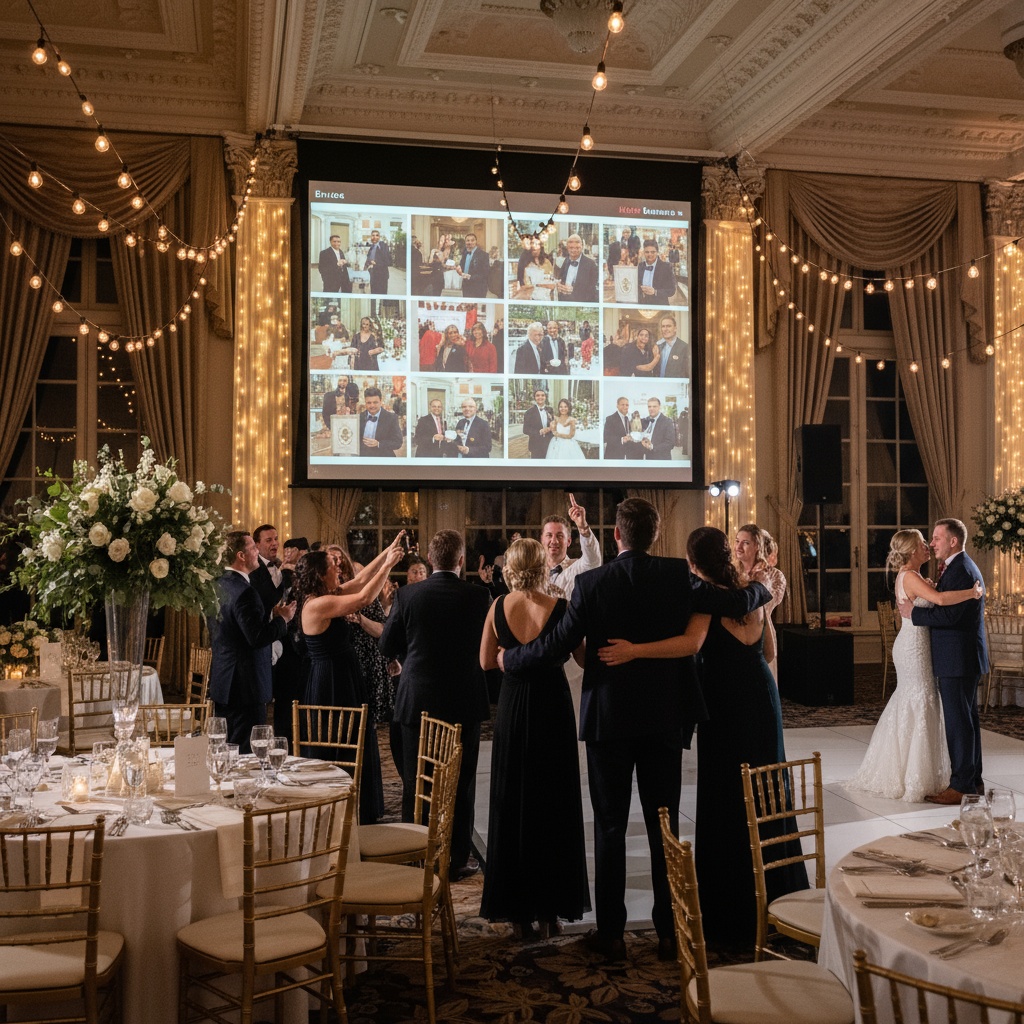
Why Wedding Photo Galleries Need Guest Contributions
Your photographer's limitations (not criticism, just physics):
- One person with a camera
- Can't be in multiple locations simultaneously
- Positioned for optimal professional shots (sometimes far from intimate moments)
- Focused on planned moments (first kiss, cake cutting, first dance)
- Misses spontaneous magic happening outside frame
Your guests' advantages:
- 50-200 additional cameras throughout venue
- Positioned everywhere (ceremony seats, reception tables, dance floor, bar)
- Capture candid unscripted moments
- Document perspectives photographer didn't see
- Authenticity of genuine reactions vs posed shots
Combined result: Professional artistry meets authentic spontaneity. Gallery completeness you can't achieve with photographer alone.
The Modern Wedding Photo Gallery Experience
Traditional Photographer Gallery
Timeline:
- Wedding day: Zero access
- 2-4 weeks: Sneak peek (5-10 photos)
- 4-8 weeks: Full gallery delivery
- Access via password-protected website
Content:
- 300-800 professionally edited photos
- Curated selections (photographer's artistic vision)
- Posed family portraits, key moments, artistic details
- Downloadable (usually with license restrictions)
Limitations:
- Single perspective only
- Misses unplanned moments
- Delayed gratification
- Guests don't see themselves (unless they buy prints separately)
Integrated Wedding Photo Gallery (Professional + Guest)
Timeline:
- Before wedding: Gallery live and ready
- During ceremony/reception: Photos appear in real-time as uploaded
- After wedding: Instant access to complete collection
- Ongoing: Continuous growth as guests upload
Content:
- Professional shots from photographer
- Hundreds of guest-contributed candid photos
- Multiple angles of every key moment
- Behind-the-scenes getting ready photos
- Bathroom selfies, dance floor chaos, table candids
- Complete visual story of entire day
Advantages:
- Immediate access (guests view during reception)
- Comprehensive coverage (every perspective)
- Interactive entertainment (live display on screens)
- Sharable with all attendees
- Downloadable photo photos
Setting Up Your Integrated Wedding Photo Gallery
6 Weeks Before Wedding
1. Choose your platform
Essential features checklist:
- ✓ Browser-based upload (no app required for guests)
- ✓ Unlimited photo storage
- ✓ Live display capability for reception screens
- ✓ Content moderation (control what appears publicly)
- ✓ Mobile-optimized gallery viewing
- ✓ Password protection option
- ✓ Share link generation
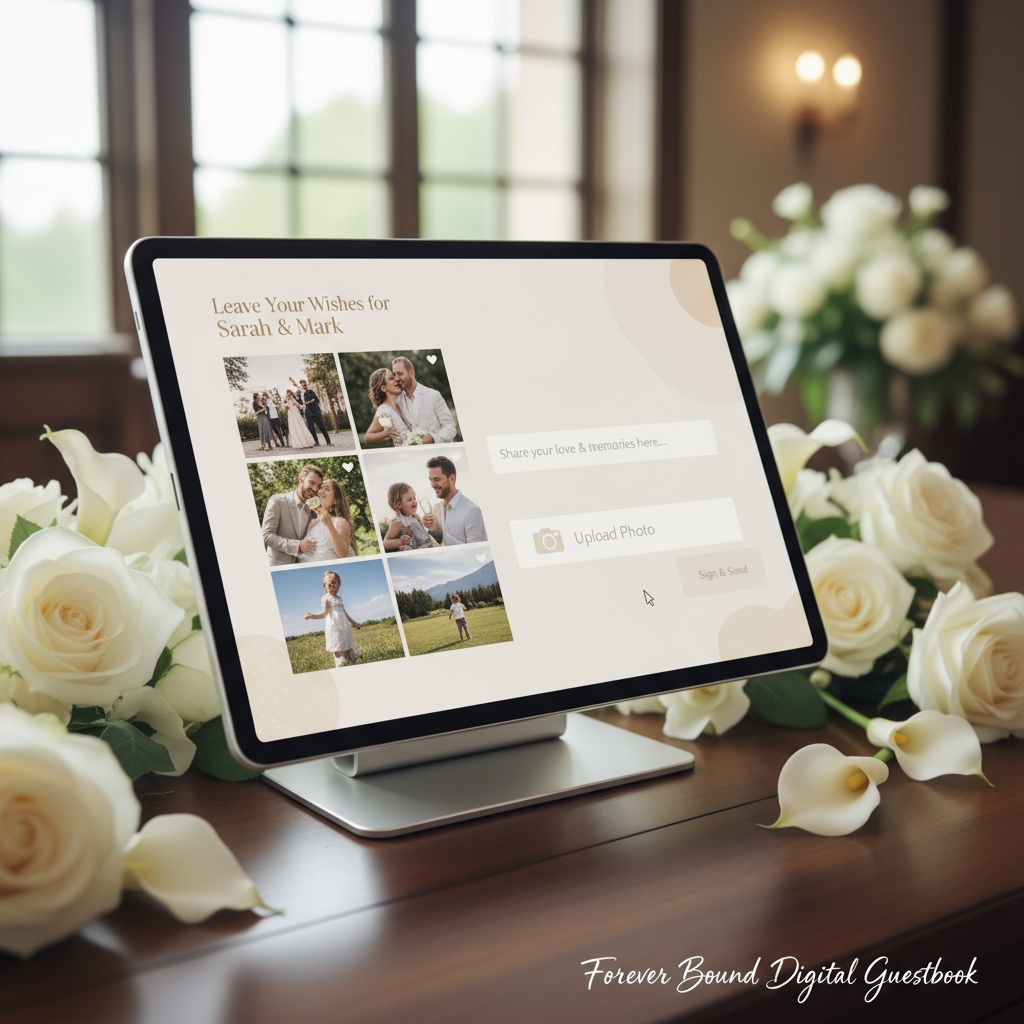
Fotify provides all of these with wedding-specific features like RSVP integration and digital guest book functionality.
2. Create your wedding event
- Enter wedding date and venue details
- Set privacy level (public, password-protected, or invite-only)
- Customize gallery appearance (colors, cover photo, welcome message)
- Generate QR code for guest uploads
- Download QR code files for signage
3. Coordinate with photographer
- Share gallery login with photographer
- Discuss workflow for their uploads (during reception vs post-event)
- Clarify that guest photos supplement (not replace) professional work
- Many photographers now offer this as service enhancement
2 Weeks Before Wedding
Design gallery access signage:
Welcome table sign:
View & Share Wedding Photos

[Large QR Code]

Scan to upload your photos
and see everyone's moments live!

[Your Names] • [Date]
Table cards:
Capture the Memories

[QR Code]

Add your photos to our gallery
See them appear on the big screen!
Print materials:
- Welcome sign: 8x10 or 11x14
- Table cards: 4x4 inches
- Bar area signs
- Bathroom mirror decals
- Photo booth area signage
Design to match wedding aesthetic:
- Elegant script for formal weddings
- Bold modern fonts for contemporary style
- Rustic wood signs for barn weddings
- Watercolor backgrounds for garden weddings
Wedding Day Setup
Gallery display positioning:
- Connect TV/projector to gallery display URL
- Position near cocktail area or dance floor (visible but not distracting)
- Test connection and display mode (carousel recommended)
- Enable moderation if desired (approve photos before public display)
- Large weddings: Multiple screens in different areas
QR code placement strategy:
- 1 large welcome sign at venue entrance (100% of guests see it)
- 8-10 table cards at reception tables (visible during dinner)
- 2 bar area signs (high-traffic location, guests linger)
- 1 photo booth sign (encourage immediate upload)
- 2 bathroom mirror decals (unexpected high-upload location)
Total: 12-15 QR codes linking to same gallery
Kickstart participation:
- Wedding party uploads first photos immediately
- Photographer adds early ceremony selections
- First uploads on displays demonstrate functionality
- DJ/MC announces gallery feature during welcome
During Reception
Organic growth:
- Guests scan QR codes throughout venue
- Photos upload instantly via browser (no app needed)
- Uploads appear on displays in real-time
- Social proof drives more participation ("I want to see mine on screen!")
Periodic reminders:
- DJ/MC mentions 2-3 times during reception
- "Scan the QR codes around the room to add your photos to our live gallery!"
- Strategic timing: during dinner, between dances, before send-off
Moderation workflow:
- Review queue on phone/tablet
- Swipe to approve or reject
- Takes 2-3 seconds per photo
- Assign to coordinator or trusted friend if busy
- Most photos appropriate (guests self-regulate at weddings)
Real Wedding Gallery Results
Lindsay & Ryan - 180 guests:
Photo collection:
- Photographer: 687 professional shots
- Guests: 521 uploaded candids
- Total gallery: 1,208 photos
Participation:
- 78% of guests uploaded at least one photo
- Average 2.9 photos per contributing guest
- Upload peak: During dinner and dancing (phones already out)
Unique captures:
- Groom's mother crying during ceremony (aunt's phone, front row angle photographer couldn't access)
- Surprise flash mob during reception (5 guests captured from different angles simultaneously)
- Bathroom mirror selfies showing hair/makeup evolution
- Getting ready moments before photographer arrived
Timeline:
- Gallery live during reception (guests viewing on phones)
- Photographer added ceremony shots during cocktail hour
- Complete collection available for download 24 hours post-wedding
Cost: $45 (unlimited wedding plan)
Sarah & Michael - Intimate 50-guest wedding:
Photo collection:
- Photographer: 312 professional shots
- Guests: 217 uploaded candids
- Total gallery: 529 photos
Participation:
- 90% guest participation (small weddings = higher engagement)
- Even grandparents uploaded with bridesmaid assistance
Gallery use:
- Projected on wall during reception (iPad mini connected)
- Guests spent cocktail hour viewing gallery on phones
- Thank-you cards featured mix of professional + guest photos
Cost: $25 (basic wedding plan)
Wedding Photo Gallery Features That Matter
1. Real-Time Updating
Traditional gallery: Static after photographer uploads. Once delivered, no additions.
Modern integrated gallery: Continuously grows as guests upload. Live during reception, continues afterward as guests add more. Never "final" until you stop accepting uploads.
Benefit: Captures late-arriving photos guests forgot to upload during reception, plus "found on my phone later" moments.
2. Multiple View Modes
Grid view: Browse all photos at once, scroll quickly Slideshow mode: Automatic progression, perfect for displays Carousel mode: Swipe through one at a time Timeline view: Organized chronologically from ceremony → reception → send-off
Mobile optimization: Gallery looks perfect on phones (where most viewing happens)
3. Social Sharing Integration
Individual photo sharing:
- Share specific photos to Instagram/Facebook
- Copy photo link for direct sharing
- Download to camera roll for texting
Gallery sharing:
- Single link shares entire collection
- Works without account/login (recipient just opens link)
- Optional password protection
- Sharable via QR code, text, email
4. Download Options
Bulk downloads:
- Download all photos as zip file
- Organized by upload date
- Separate folders: professional vs guest uploads
- Fast download (hundreds of photos in minutes)
5. Privacy Controls
Gallery visibility:
- Public (anyone with link can view)
- Password-protected (share password with guests only)
- Invite-only (approved email addresses only)
Content moderation:
- AI filtering for inappropriate content
- Manual approval before public display
- Private gallery (all uploads visible to you immediately)
- Public display (only approved photos on reception screens)
6. Photographer Integration
Collaborative gallery:
- Share login credentials with photographer
- They upload directly to your gallery
- Mixed professional + guest photos in one location
- No separate photographer delivery + guest collection
Workflow options:
- Live upload: Photographer adds selections during reception
- Post-event: Photographer uploads edited gallery after wedding
- Hybrid: Teasers during event, full delivery later
Benefit: Single unified gallery, not scattered across photographer's site + Google Photos + Facebook + email threads.
Wedding Photo Gallery vs Traditional Delivery
| Feature | Integrated Gallery | Traditional Photographer-Only |
|---|---|---|
| Delivery Timeline | Instant (during wedding) | 4-8 weeks post-wedding |
| Photo Sources | Photographer + all guests | Photographer only |
| Total Photo Count | 800-1,500+ | 300-800 |
| Perspectives | Dozens of angles | Single perspective |
| Spontaneous Moments | Captured everywhere | Only what photographer saw |
| Guest Access | Immediate, sharable link | Photographer's private gallery |
| Real-Time Entertainment | Live display during reception | None |
| Cost | $25-$75 | Included in photography package |
| Candid Authenticity | High (unposed genuine moments) | Variable (mix of posed + candid) |
Winner: Integrated galleries deliver 2-3x more photos, instant access, and comprehensive coverage at minimal additional cost.
Using Your Wedding Photo Gallery Post-Wedding
Immediate (24-48 hours)
Download everything:
- Bulk download all photos (photos)
- Backup to cloud storage (Google Drive, Dropbox, iCloud)
- Backup to external hard drive (redundancy is critical)
- Don't rely solely on platform storage
Share with guests:
- Send gallery link via email or text to all attendees
- Include thank-you message
- Encourage continued uploads (guests find more photos later)
- Provide download instructions
First Month
Thank-you cards:
- Select photos featuring specific guests
- Mix professional portraits with candid guest uploads
- Personalize cards with "loved your photo of [moment]!"
Social media:
- Share highlights on Instagram/Facebook
- Credit guests whose photos you post
- Use gallery to find best angles of key moments
- Create stories/reels from multiple perspectives
Family sharing:
- Send gallery link to relatives who couldn't attend
- Provide password if gallery is protected
- Highlight photos featuring them or their family
Long-Term
Printed albums:
- Mix professional photos with best guest candids
- Chronological storytelling from multiple viewpoints
- Include funny behind-the-scenes moments
- Guest photos add authenticity professional shots sometimes miss
Anniversary reminiscing:
- Revisit gallery each anniversary
- Discover photos you missed initially
- Appreciate moments that were too hectic to notice in person
- Share on social media for anniversary posts
Future family:
- Complete visual record of your wedding day
- Multiple perspectives create richer story
- Candid moments show genuine atmosphere
- Future children see your celebration from every angle
Troubleshooting Wedding Photo Gallery Issues
Problem: Guests aren't uploading
Solutions:
- Increase QR code visibility (add more signs)
- Enable live display (social proof drives uploads)
- DJ/MC reminders (announce 2-3 times)
- Wedding party uploads first (demonstrate ease)
- Create incentive ("Best photo wins centerpiece!")
Problem: Too many duplicate/similar photos
Solutions:
- Enable smart deduplication (some platforms offer this)
- Assign coordinator to curate during reception
- Accept duplication—storage is unlimited
- Sort/curate when creating printed album
Problem: Slow gallery loading
Solutions:
- Platform should optimize images automatically
- Check venue WiFi strength
- Use mobile data as backup
- Lazy loading (gallery loads photos as you scroll)
Problem: Photographer concerned about guest photos
Solutions:
- Position as supplement, not replacement
- Guest photos capture angles photographer can't
- Enhances their coverage, not competes
- Many photographers now offer this as service
- Include photographer in workflow (share login)
Wedding Photo Gallery FAQs
How do wedding photo galleries work for guests and the couple?
Couples create a private gallery linked to their wedding event, generate QR codes for signage, and guests scan codes with phone cameras to instantly upload photos via browser (no app needed). Photos appear in real-time in the gallery and optionally on reception displays. Couples access all photos immediately and can download everything after the wedding for printing or sharing.
Can wedding guests upload photos without downloading an app?
Yes. Modern wedding galleries are browser-based—guests scan QR codes with their built-in camera app (works on all smartphones), which opens a web page for instant upload. No app download, account creation, or login required. This eliminates friction and delivers 75-85% guest participation vs 15-25% with app-required methods.
How do I combine professional photographer photos with guest photos in one gallery?
Share your gallery login with your photographer. They upload directly to the same gallery where guests contribute. You can organize photos into albums (Professional / Guest Contributions) or mix them together chronologically. Single unified collection accessible via one link eliminates scattered photos across multiple platforms.
What happens to wedding photo galleries after the event?
You control gallery lifespan. Most couples keep galleries accessible for 30 days to 1 year for guest viewing and downloads, with option for permanent hosting. Always download all photos yourself immediately after the wedding (bulk download feature) as backup—don't rely solely on platform storage for your only copy.
Can I display a live wedding photo gallery during my reception?
Yes! Connect any TV, monitor, or projector to your gallery's display URL. As guests upload photos (and as your photographer adds selections), photos appear on screens within seconds. Choose display mode (carousel, grid, slideshow) and optionally enable moderation to approve photos before public display. Live displays increase participation by 40-60%—guests upload to see themselves featured.
How many photos should I expect in a wedding photo gallery?
Photographer typically delivers 300-800 professional photos. With 75-80% guest participation at a 150-person wedding, expect 400-700 additional guest photos. Total gallery: 700-1,500+ photos. Small weddings (50 guests) collect 450-600 total. Large weddings (250+ guests) can exceed 2,000 photos from all sources combined.
Are wedding photo galleries password-protected?
You control privacy settings. Options include: public (anyone with link can view), password-protected (share password with invited guests only), or invite-only (approved email addresses required). Most couples choose password-protected for privacy while allowing easy guest access without individual account creation.
Can I download all wedding photos from the gallery at once?
Yes. Bulk download feature exports all photos as a zip file organized by upload date or source (professional vs guest uploads).
What if guests upload inappropriate photos to the wedding gallery?
Enable two-tier moderation: automatic AI filtering screens obvious inappropriate content first, then you manually approve photos before they appear on public reception displays. Guests see their uploads in the private gallery immediately (no rejection notification), but only approved photos show on screens. 99% of weddings don't encounter issues—guests naturally self-regulate at celebrations.
How long does it take to set up a wedding photo gallery?
Initial setup: 5-10 minutes (create event, enter details, generate QR codes). Design signage: 1-2 hours (can use templates). Day-of setup: 5 minutes (place signs, connect display to gallery). Platform handles all technical aspects—no coding or web design skills required. Most couples complete setup 2-3 weeks before wedding with minimal effort.
Creating Your Complete Wedding Photo Gallery
Traditional photographer-only galleries capture professional artistry but miss hundreds of authentic moments happening simultaneously throughout your wedding. Integrated galleries combining professional shots with guest contributions deliver the complete visual story—every angle, every perspective, every moment.
The technology makes this effortless: QR codes eliminate upload friction, live displays transform photo sharing into entertainment, and instant access means no waiting weeks for delivery.
Your wedding gallery should be:
- Comprehensive: Professional artistry + guest authenticity
- Instant: Live during reception, not weeks later
- Interactive: Guests view and contribute in real-time
- Shareable: Single link provides access to everyone
- Complete: Every moment from every perspective
Ready to create your wedding photo gallery? Create your wedding event and generate QR codes in minutes. From intimate ceremonies to grand celebrations, photo galleries that capture everything.
Explore more wedding planning resources: collecting wedding photos from guests, QR code photo sharing, and wedding photo apps.
Comprehensive wedding photo galleries combining professional and guest photos. Instant access, live displays, and complete coverage from every perspective with Fotify.
Related Pages
Discover how Fotify can transform your events