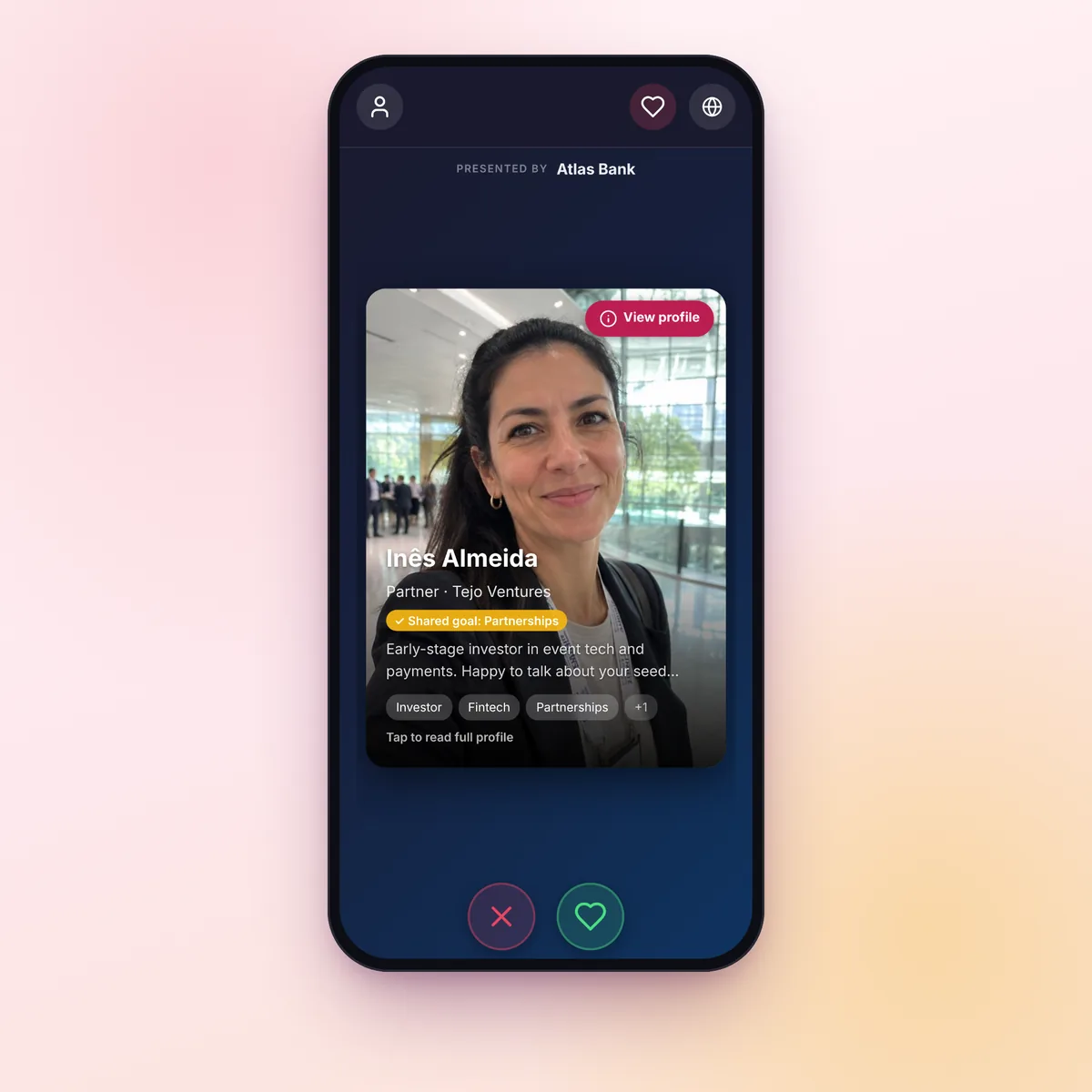
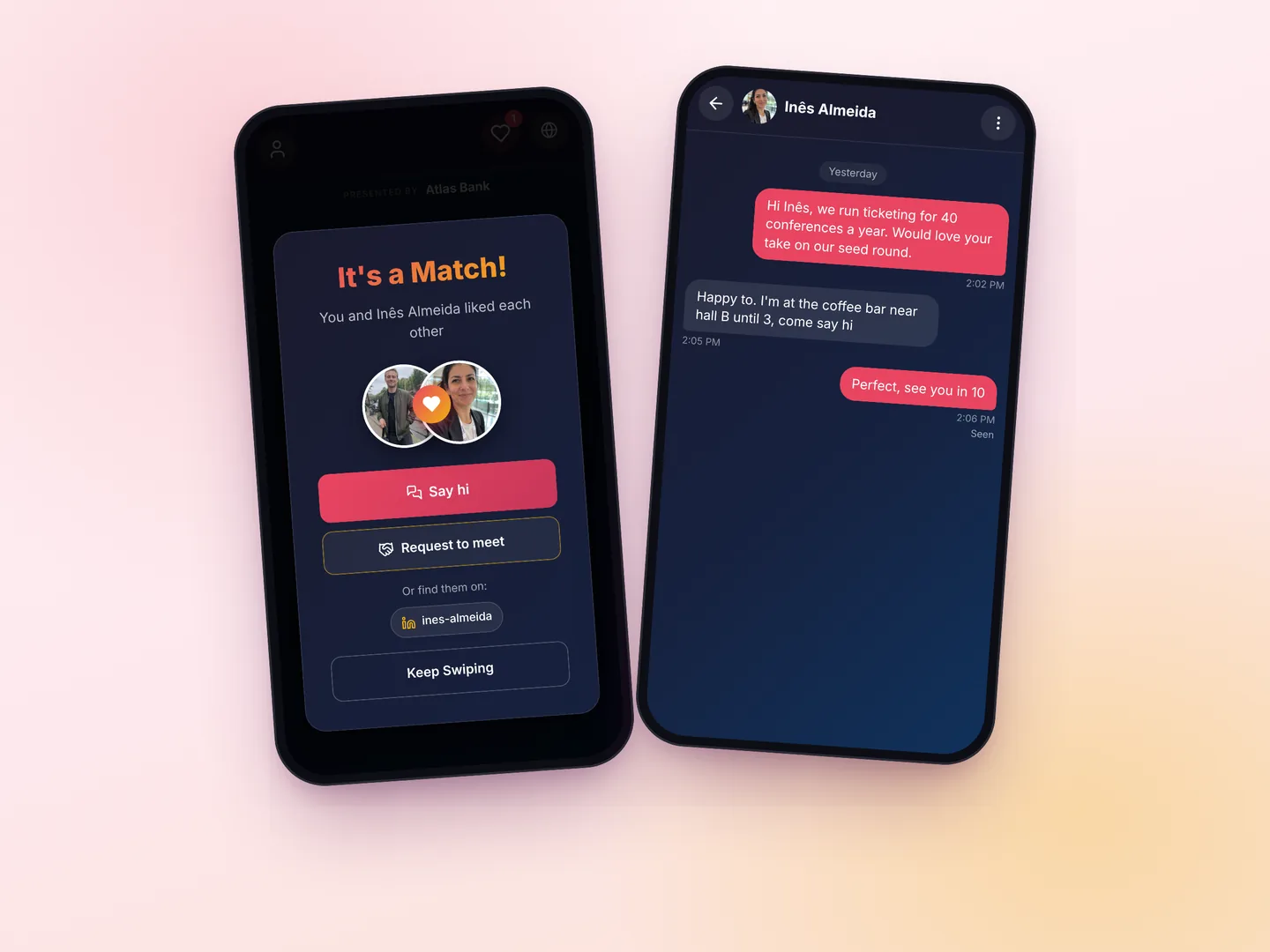
A name badge shows a name and a company, not whether someone is worth talking to. In Business mode, attendees say what their organization does and what they came for. A supplier sees buyers first, a startup sees investors first, and each card says why. When both sides like each other, they can book a slot through a calendar link or meet at a spot you listed, like the networking lounge.
Business mode of Match & Connect
A Conference Networking App That Shows Attendees Who to Meet
Attendees scan a QR code and fill in their role, company and what they're looking for. The deck puts the most relevant people first and says why. When two attendees connect, they see each other's LinkedIn and can book a meeting. There's nothing to install.
- Profiles with role, company, industry and goals
- A reason on every suggested profile
- LinkedIn and a booking link after a mutual connection
$9.99 per event · Included in the Professional plan · Free trial with 4 attendees
Nothing to install
Opens in the phone's browser
Ranked by relevance
A reason on each card
We just had a conference with participants both in-person and remote from all over the world. Great experience with Fotify, and so easy to use. Highly recommend.Amy Bolding · Hybrid conference
What Business mode does
Match & Connect has a mode for professional events. You choose it per event, before the first attendee registers.
Profile fields you choose
Organization type, job title, company, industry, goals, what they're seeking and what they offer, plus your own questions. Each field is required, optional or off.
A deck ranked by relevance
Complementary organizations and goals come first, like a supplier and a buyer or a startup and an investor, then shared goals, the same industry and overlapping expertise.
LinkedIn after a connection
LinkedIn, an optional phone number and a calendar booking link are shown only to the people an attendee connected with.
Meeting requests
A connection can ask to meet at a spot and a time, like Booth 12 now or the networking lounge at 3 PM. You list the spots.
Suggested-match emails
Attendees get a few suggested people by email, at most one email a day, with Accept and Decline buttons. You can switch them off.
Chat, block and report
Connections can message each other in the app. Either side can block or report, reports are emailed to you, and you never see the messages.
Run it for your attendees only
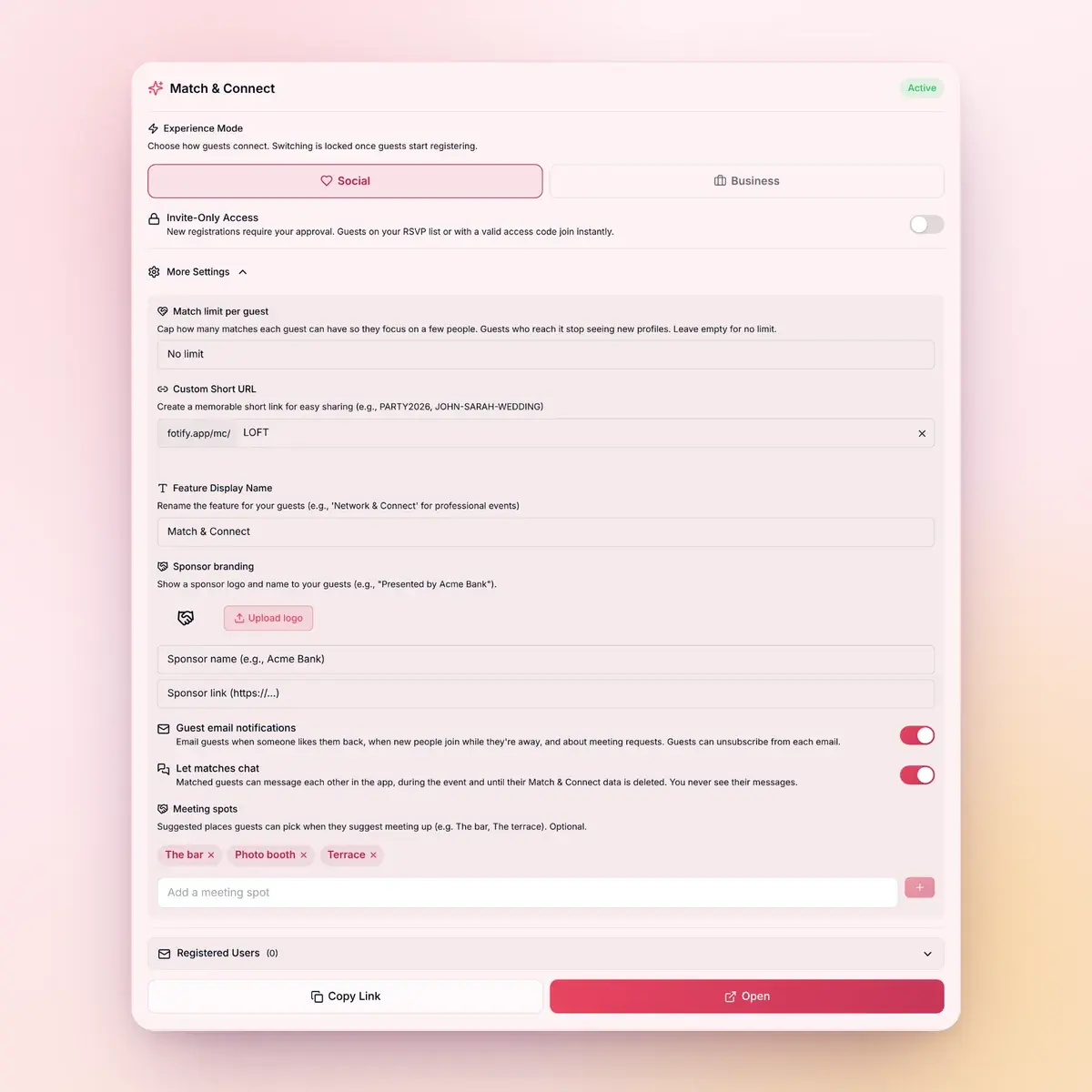
Everything is set from the Match & Connect card of your event in the Fotify dashboard.
- Invite-only: let in a list of registered emails, give access codes to speakers or press, and approve anyone else
- Your own name for it, like "Summit Connect", a short link like fotify.app/mc/SUMMIT, or your own domain
- A "Presented by" strip with a sponsor's logo, name and link
- A cap on how many connections each attendee can make
- The list of registered attendees, with a CSV export, and how many profiles and connections there are
- A connections report you can export, listing only the pairs where both people agreed to be contacted after the event
Where it fits
Events where meeting the right people is part of why attendees came.
Conferences and summits
Attendees fill in their goals once, and the deck and the suggestion emails point them to the people worth meeting between sessions.
Try it freeNetworking events and meetups
Industry meetups, alumni evenings and association events. You pay per event, so it works for a one-off evening as well as a monthly series.
Try it freeCorporate events and offsites
Add your own questions, like which team or office someone is in, and colleagues can find people outside their usual circle.
Corporate event featuresHow it works
Set up in a few minutes from your event's dashboard.
1
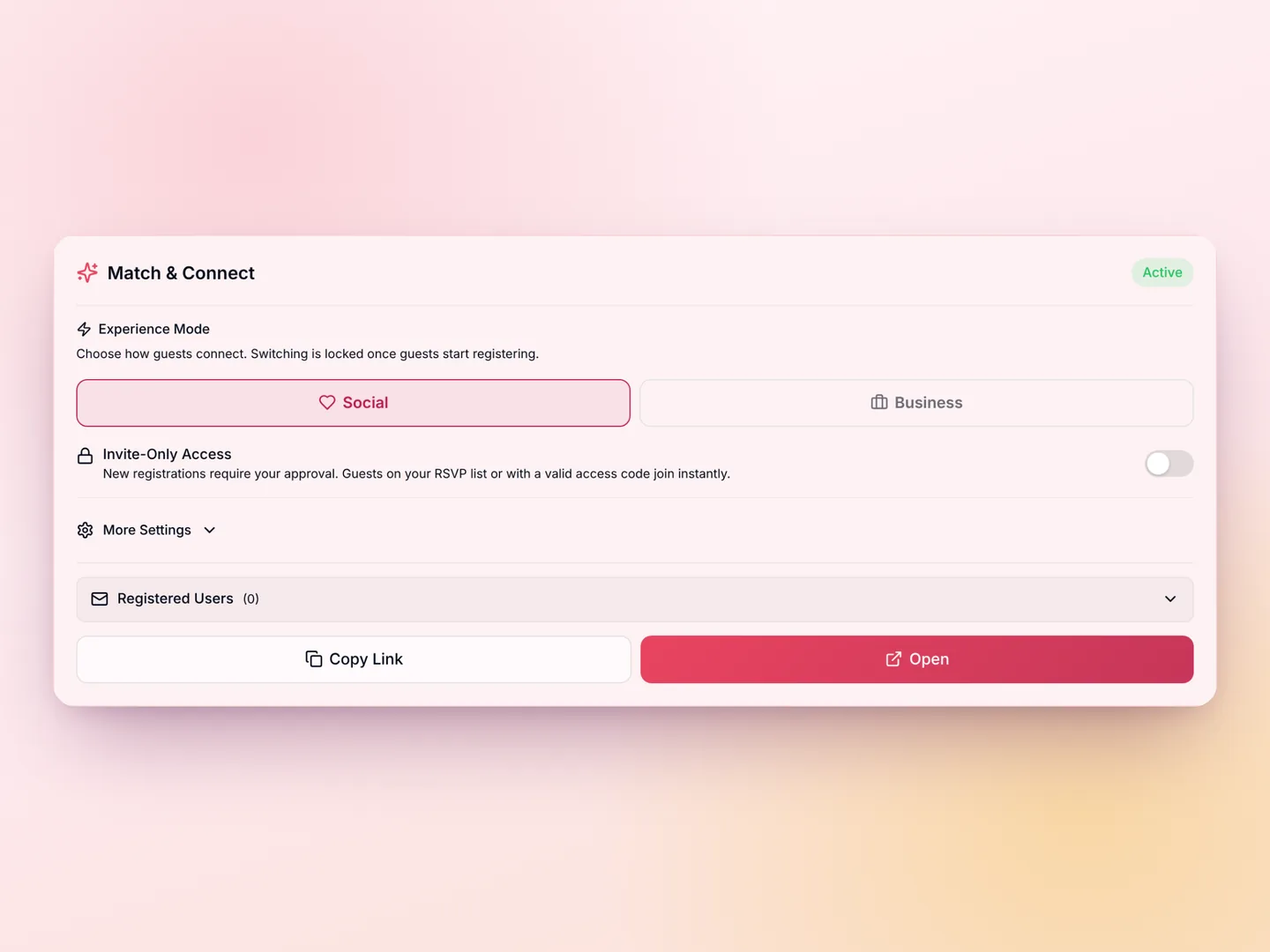
Turn on Business mode
Start the free trial with 4 attendees, or add Match & Connect for $9.99. It's included in the Professional plan. Choose Business mode and the profile fields before the first attendee registers.
2
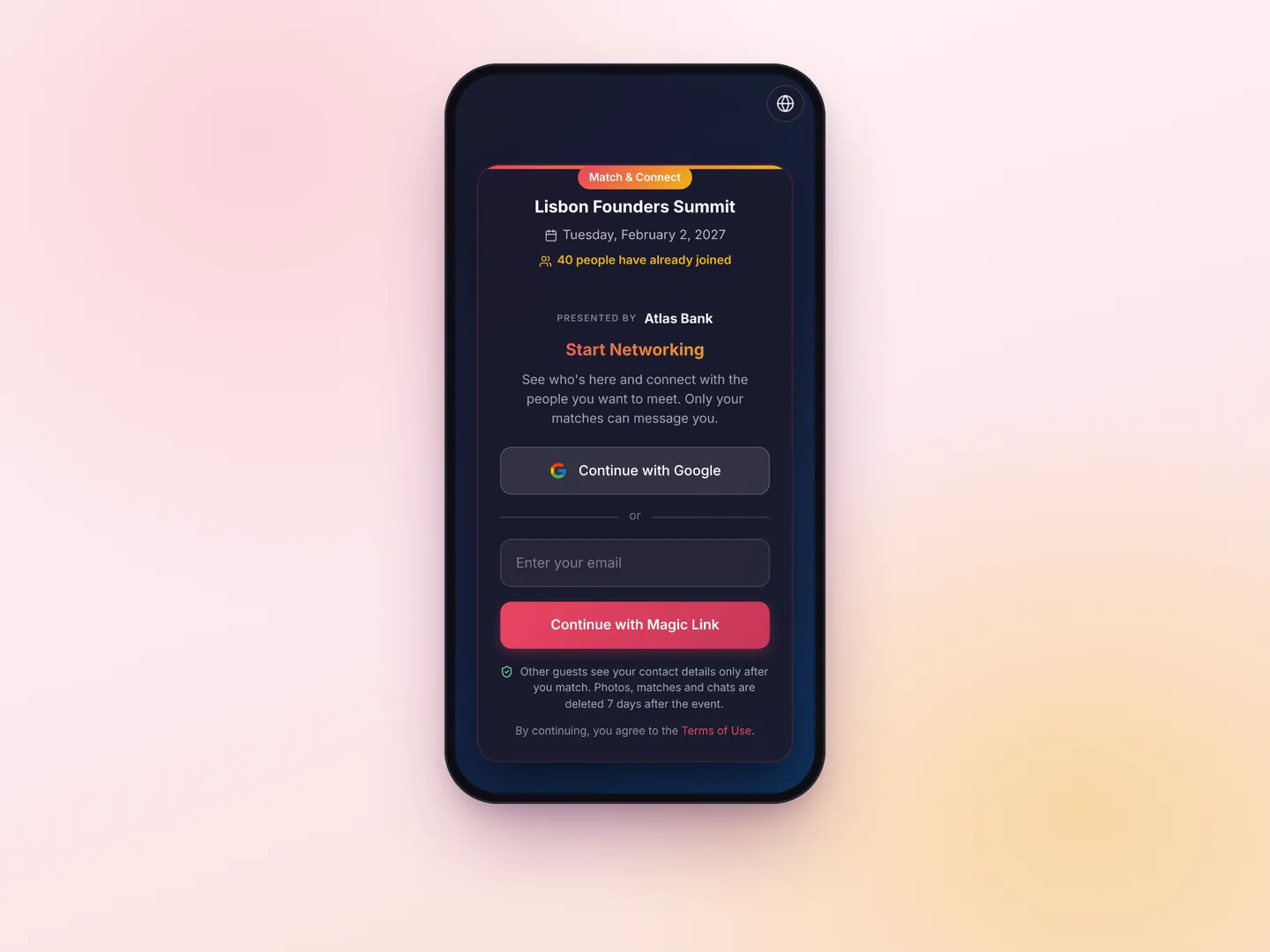
Share the link with attendees
Show the QR code at registration and on screens, or put the link in your attendee emails. Attendees sign in with Google or a 6-digit code sent to their email, then fill in their profile.
3
Attendees connect and meet
Connections can chat, open each other's LinkedIn, book a meeting through a calendar link, or ask to meet at one of your spots.
Attendee matchmaking for conferences and corporate events
In Business mode, Match & Connect turns your attendee list into a deck of professional profiles. Attendees open it from a QR code or a link, fill in the fields you chose (role, company, industry, organization type, goals, what they're seeking and what they offer), and like or pass on the people the app suggests. The deck is ranked by relevance, and each card says why the person is suggested. When two attendees like each other, they connect: they see each other's LinkedIn and booking link, can chat in the app and can ask to meet at the event. It runs in the phone's browser, so there's nothing to install.
- Profile fields you choose, including your own questions
- A deck ranked by complementary organizations, goals, industry and expertise
- LinkedIn, phone and a booking link only after a mutual connection
- Suggested-match emails with Accept and Decline, at most one a day
- Invite-only access with email lists, access codes and approvals
- A sponsor strip, your own feature name, a short link or your own domain
Corporate event networking for offsites and company events
At a company offsite, people tend to stay with their own team. Add your own questions, like which office or team someone is in and what they're working on, and colleagues can find people outside their usual circle. Only a mutual like becomes a connection, so nobody gets a message from someone they didn't like back.
How it compares to Brella, Swapcard or Grip
Those are full event platforms with agendas, exhibitor tools and their own attendee apps, usually sold with a contract. Match & Connect does one part of that job: it helps attendees find the people they want to meet and set up a meeting. It's priced per event, runs in the browser, and you set it up yourself. If you need session agendas, lead scanning or exhibitor management, you need a full platform.
How to run attendee matchmaking at your event
Create your event in Fotify and start it. On the Match & Connect card, choose Business mode, pick the profile fields, and edit the lists of goals, organization types and industries. Turn on invite-only and upload your registration list so only registered attendees get in, and add meeting spots. Then put the link in an attendee email, show the QR code at registration and on screens, and mention it at the opening. During the event, the card shows how many profiles and connections there are. Afterwards, the connections report lists the pairs who agreed to be contacted later.
Why it runs in the browser
Attendees don't install anything. They scan the QR code, sign in with Google or a code sent to their email, and fill in their profile on the spot. When they put the phone away, emails bring them back: when someone they liked connects with them, when a connection writes to them, when someone asks to meet, and with a few suggested people to meet. Every email has a link to stop them for that event.
One add-on, two modes
Match & Connect also has a Social mode for weddings, parties and singles nights, where guests share a photo, a few interests and who they'd like to meet. You choose the mode for each event.
Choose Your Perfect Plan
Start creating unforgettable events with our flexible pricing options
100% Money Back Guarantee
Try Fotify risk-free. If you're not completely satisfied with your event, we'll refund your purchase. No questions asked.
View our refund policy →Conference networking app: frequently asked questions
What organizers ask before using Business mode
How does it compare to Brella, Swapcard and Grip?
Those are full platforms for large B2B events, with agendas, exhibitor tools and an attendee app, usually sold with a contract. Match & Connect covers attendee matchmaking: relevant suggestions, mutual connections, chat, LinkedIn and booking links, and meeting requests. It's priced per event, runs in the browser and you set it up yourself.
What do attendees see when they connect?
Each other's LinkedIn, plus a phone number and a calendar booking link if they added them. Before a connection, a profile shows only the photos, the name and the professional fields you turned on. Instagram and WhatsApp aren't used in Business mode.
Can I limit it to registered attendees?
Yes. With invite-only access, attendees whose email is on a list you upload get in straight away, and so do guests on your Fotify RSVP list. You can give access codes to speakers, press or late registrations, and approve anyone else by hand.
Can I brand it for my event?
Yes. You can rename the feature, for example "Summit Connect", use a short link like fotify.app/mc/SUMMIT or run it on your own domain, and add a "Presented by" strip with a sponsor's logo, name and link.
Do attendees need to download an app?
No. It opens in the phone's browser. Attendees sign in with Google or with a 6-digit code sent to their email. If you run it on your own domain, attendees sign in by email.
How are attendees matched?
The deck is ranked by relevance. Complementary organization types and goals come first, like a supplier and a buyer, then shared goals, the same industry and overlapping expertise. Each card shows the main reason. A connection needs both people to like each other.
Can we use it for speed networking?
Yes, for the matching part. Run the rotations yourself, and attendees like the people they want to follow up with. A like that goes both ways becomes a connection with LinkedIn and a booking link. A limit on connections per attendee keeps the follow-ups focused.
What do organizers see?
How many attendees made a profile, how many connections there are, and the list of registered attendees, which you can export to CSV. Business mode adds a connections report with each pair's name, company, role and LinkedIn, but only for pairs where both people agreed to be contacted after the event. You never see their messages.
How much does it cost?
It's $9.99 per event, and it's included in the Professional plan. You can try it first with 4 attendees for free, and the connections made during the trial are kept when you add it. There's no subscription and no price per attendee.
Can we use it for a monthly networking series?
Yes. Each event gets its own Match & Connect with its own free trial, and you pay per event. Matches and chats are deleted 7 days after each event ends, so every edition starts fresh.
Help your attendees meet the right people
Try it with your first 4 attendees before you pay anything.
Start the free trial$9.99 per event after the trial · Included in Professional
Free trial