Seating single guests together tells the whole room who's single, and the people at that table may have nothing else in common. With Match & Connect, single guests can sit with their friends and family and still see who else is single and interested. Nobody is labelled, and guests who aren't looking never have to take part.
Match & Connect for weddings
A Wedding Matchmaking App for Your Single Guests
Guests scan a QR code, make a short profile and browse the other guests who joined. When two people like each other, they can chat and find each other at the reception. Nobody else knows who liked whom, and there's nothing to install.
- Only guests who make a profile take part
- Contact details and chat only after a mutual like
- Invite-only for the guests on your RSVP list, if you want
$9.99 per event · Included in the Professional plan · Free trial with 4 guests
Nothing to install
Opens in the phone's browser
Private by default
A skip is never shown
Our wedding day was perfect, and Fotify made it even better! The seamless photo sharing allowed all our guests to contribute their unique perspectives. We now have hundreds of beautiful memories from every angle.Nicolas Nisman · Wedding
What your guests see
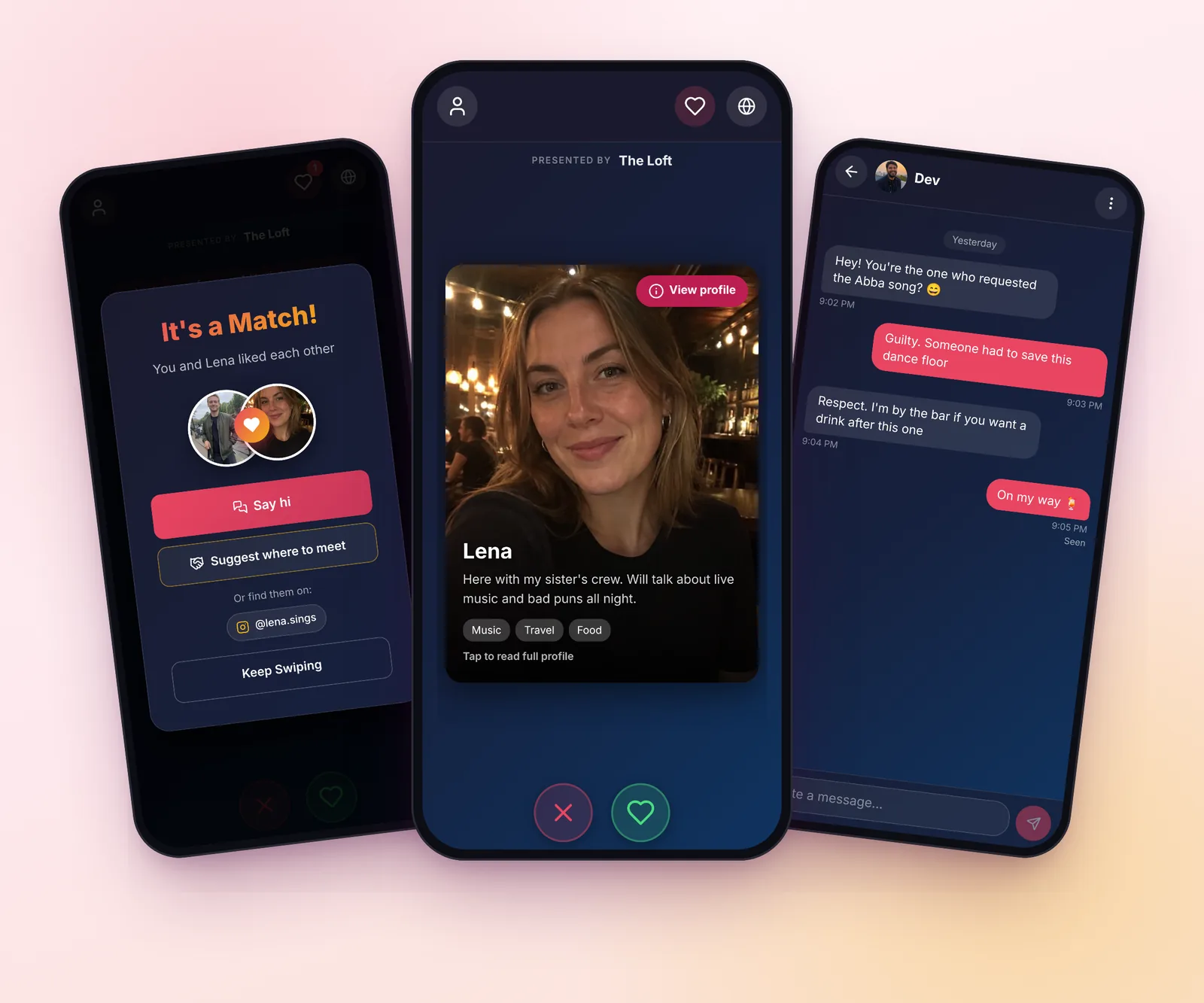
Real screens from the guest app.
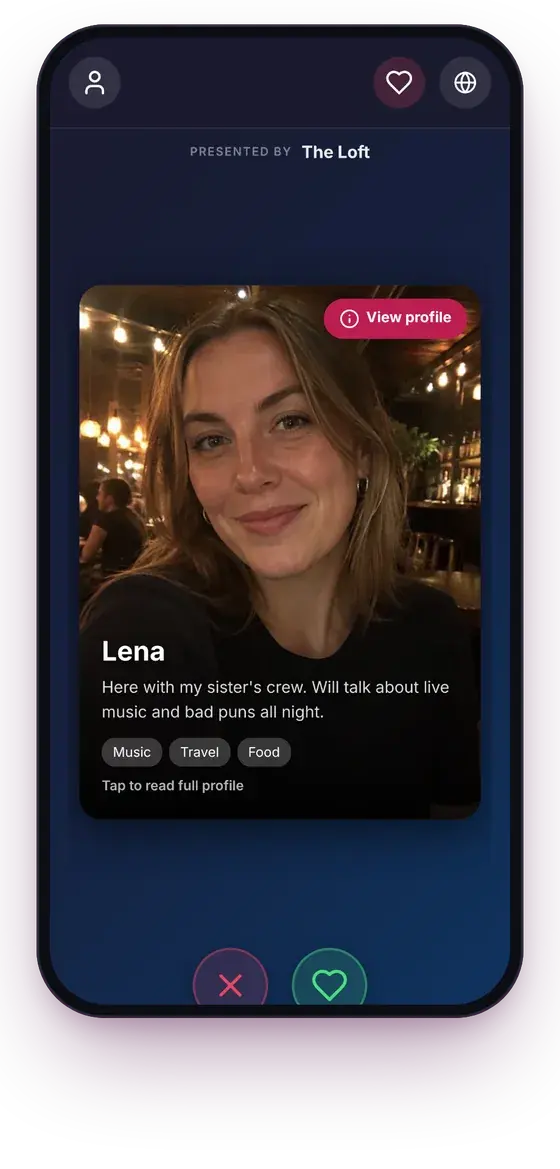
Browse the other guests
A photo, a first name, a short line and a few interests. A guest can skip someone without them ever knowing.
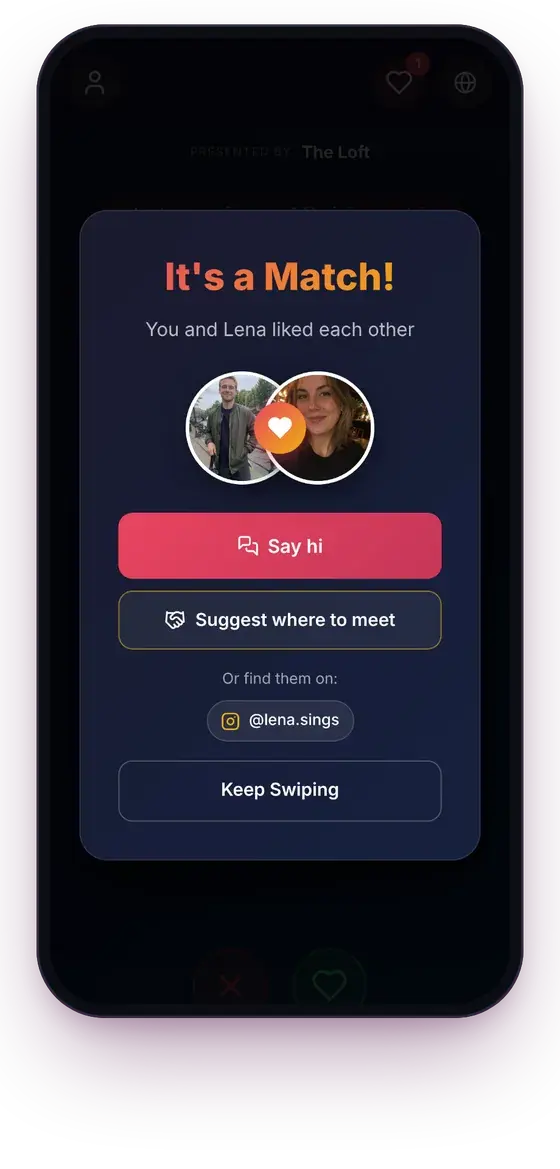
A match only when both say yes
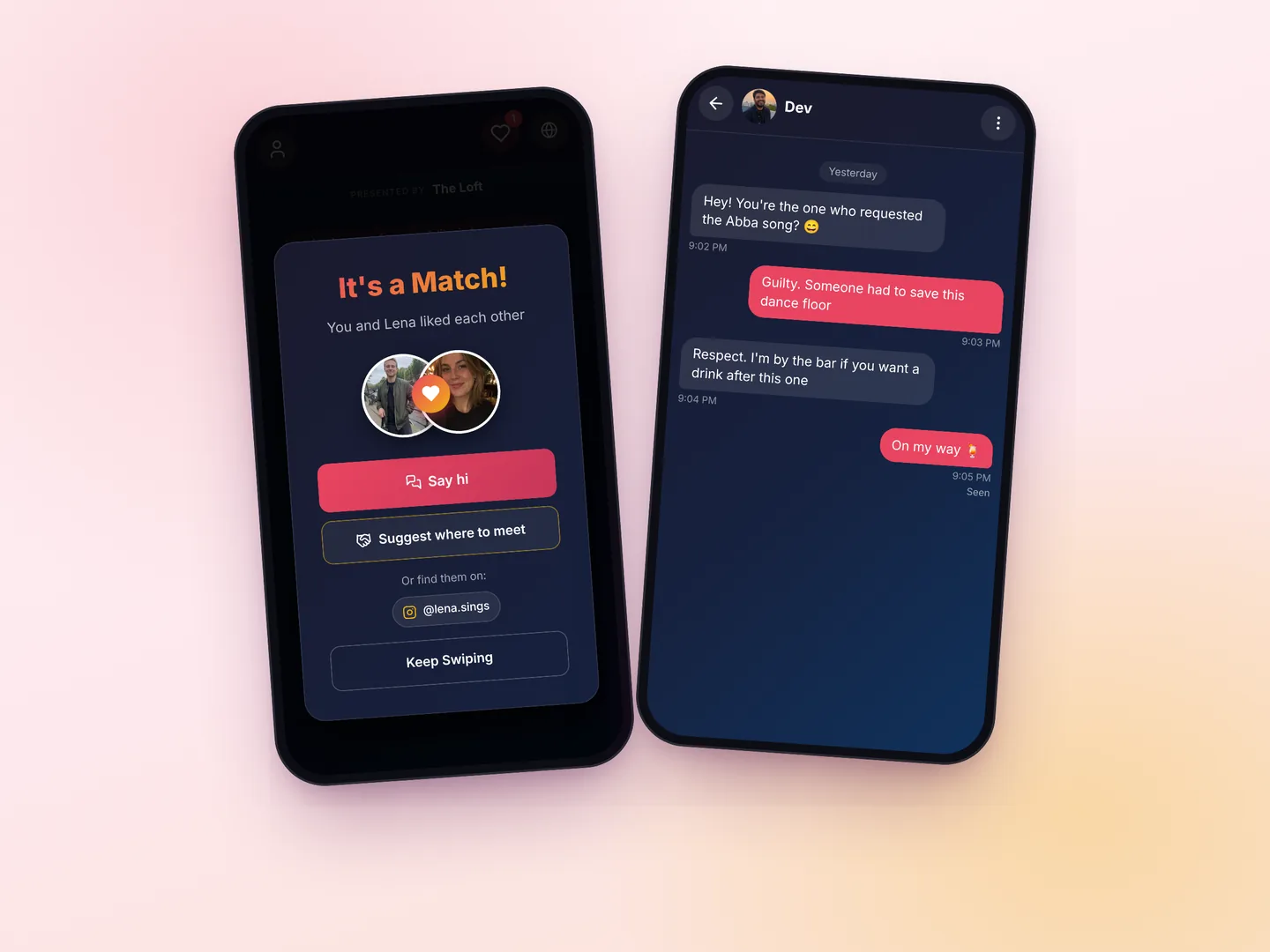
When the like goes both ways, both guests see it. When it doesn't, nobody is told anything.
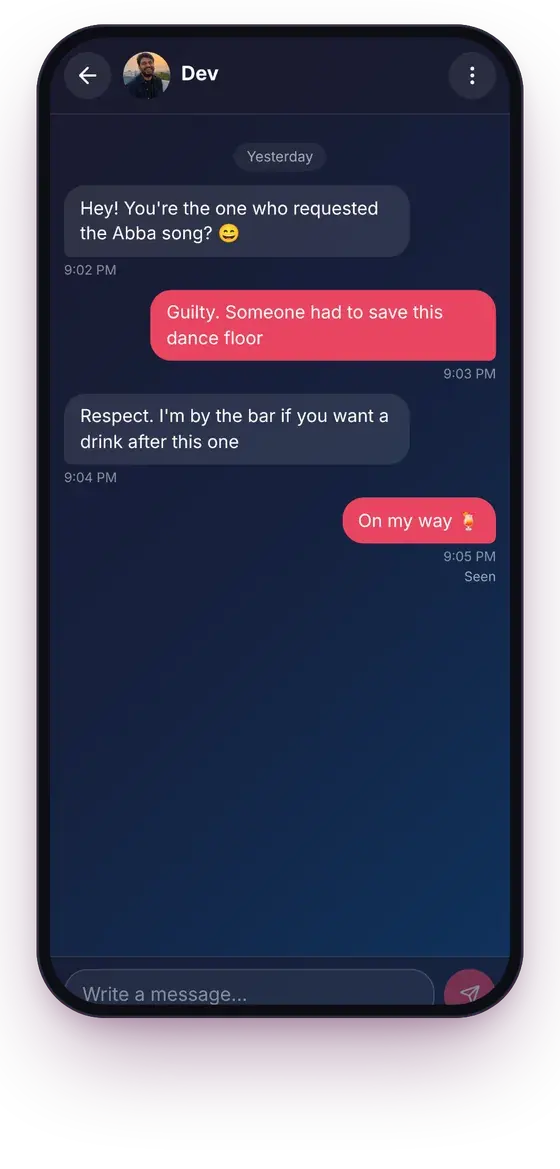
Say hi without asking for a number
Matches message each other in the app. Either of them can block or report the other.
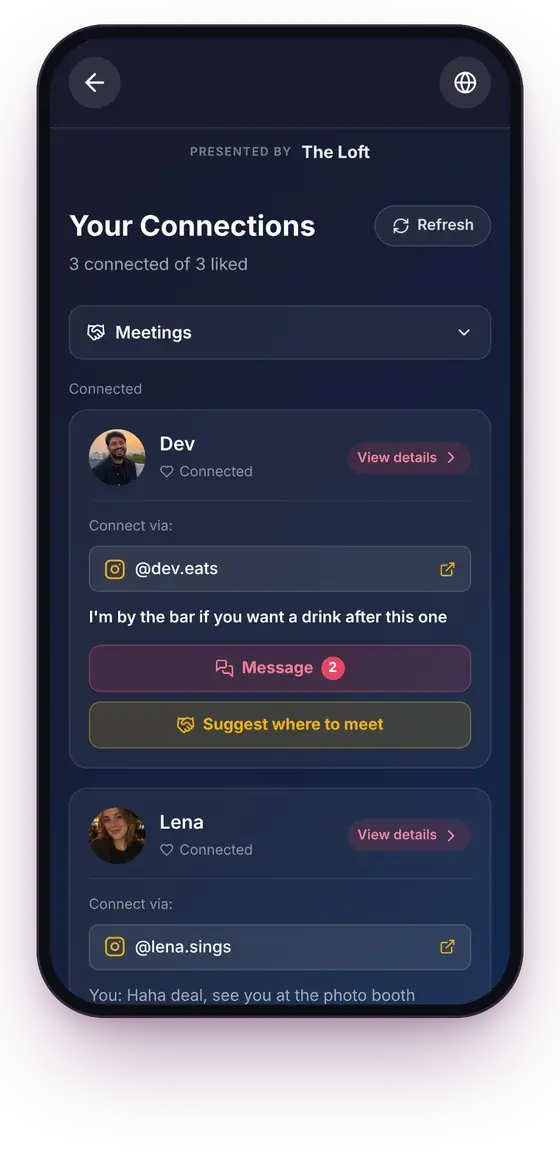
Find them again later
Each match with their chat, any contact they chose to share, and a button to suggest where to meet.
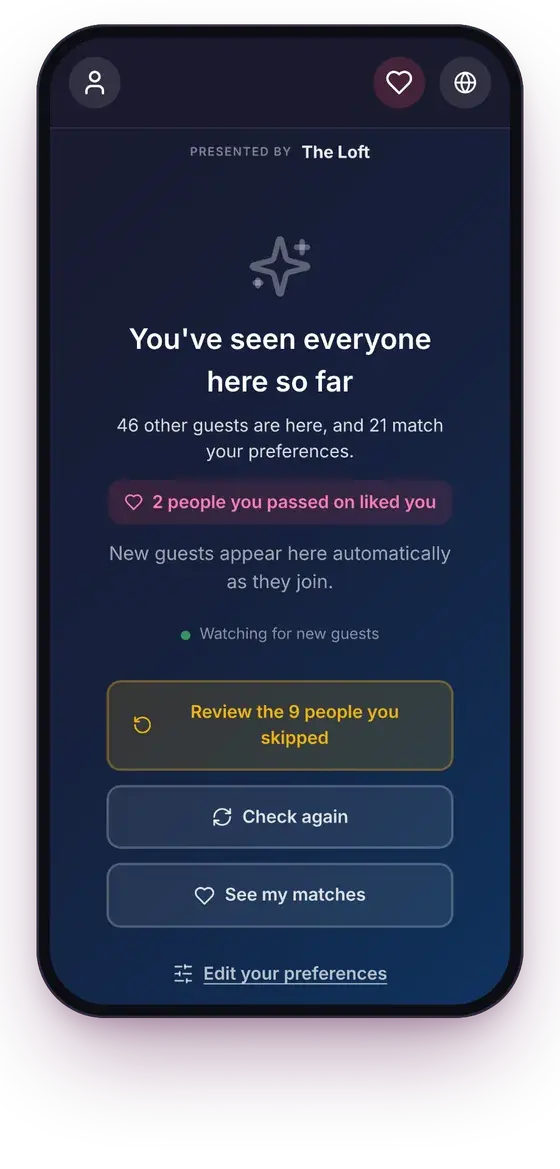
Late arrivals show up too
At the end of the deck, guests who joined later slide in, and the app says if someone they passed on liked them.
What single guests get
It all runs in the phone's browser, from the cocktail hour to the last dance.
Private browsing
Guests like or skip each other on their own phone. A skip is never shown, and a like is only revealed when it's mutual.
Contact details after a match
Instagram, WhatsApp or a phone number are optional, and only the guests someone matched with can see them.
Who they'd like to meet
Each guest says who they're interested in, and only sees guests whose preferences include them too.
Chat, block and report
Matches write to each other in the app. Blocking removes the chat for both, and reports are emailed to you.
Meet at the venue
A match can suggest a spot and a time, like the bar right now. You can list the spots guests pick from.
Deleted a week after
Guests can see their matches and chats for 7 days after the event ends. Then matches, messages, photos and contact details are deleted.
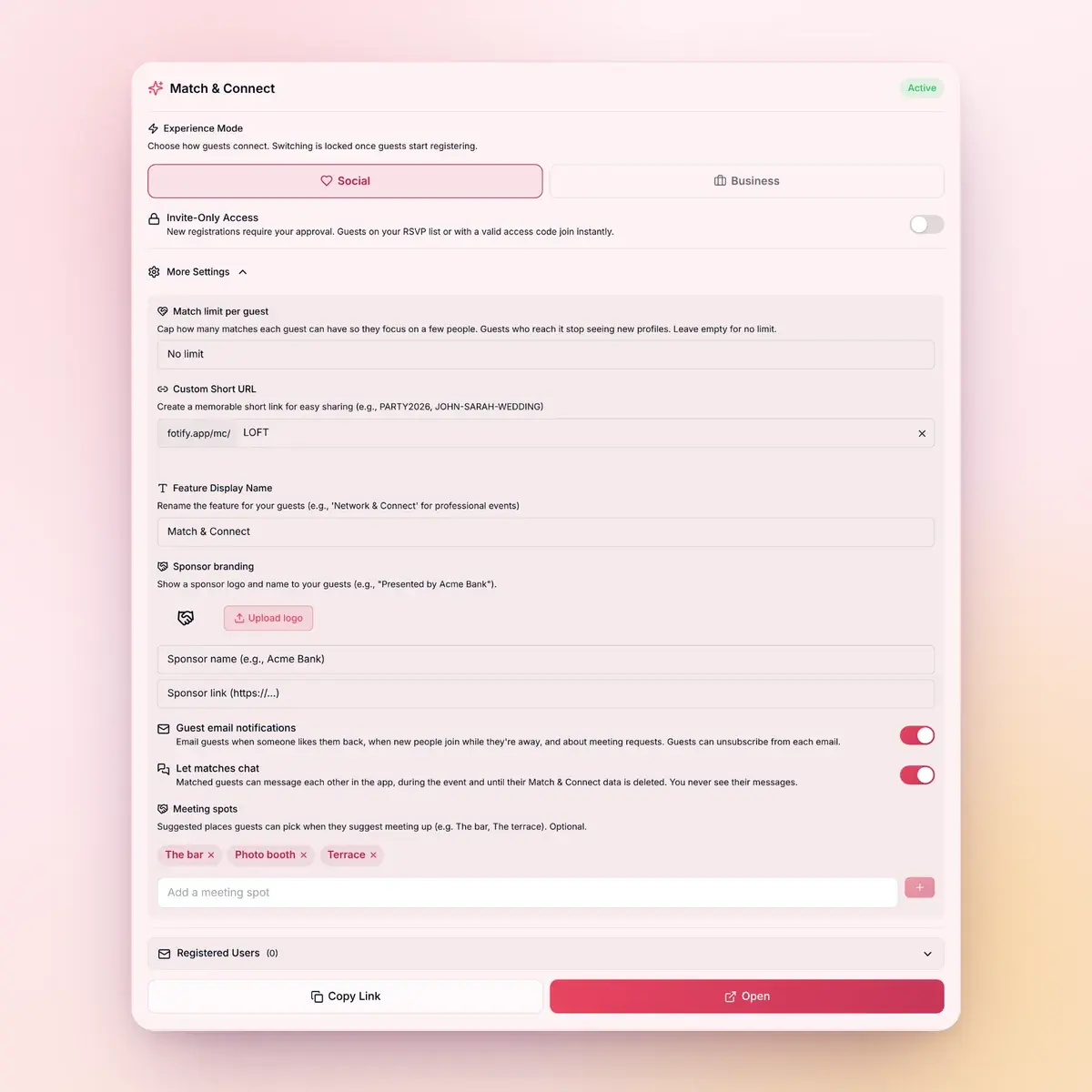
Keep it to your wedding guests
You set it up from the Match & Connect card of your Fotify event, and you can change most settings during the reception.
- Invite-only: guests on your RSVP list get in straight away, and you approve anyone else
- Access codes for groups, like the wedding party
- A short link like fotify.app/mc/SARAH-AND-DAVID for the place cards
- Your own name for the feature, like "Guest Connect"
- A cap on how many matches each guest can make
- How many guests made a profile and how many matches there are, never who matched with whom
Who it helps at a wedding
Guests take part only if they make a profile. Nobody else is in the deck.
Single guests
Instead of a singles table, single guests browse each other privately during the cocktail hour. Only the ones who like each other back find out.
Try it freeBoth sides of the wedding
The couple's friend groups and families often meet for the first time. A photo, a short bio and a few interests give people from the other side something to start with.
Set it upWeekend and destination weddings
Guests who travelled alone and only know the couple can find people at the welcome drinks, then keep chatting through the weekend.
Fotify for weddingsHow to set it up
A few minutes in your event's dashboard.
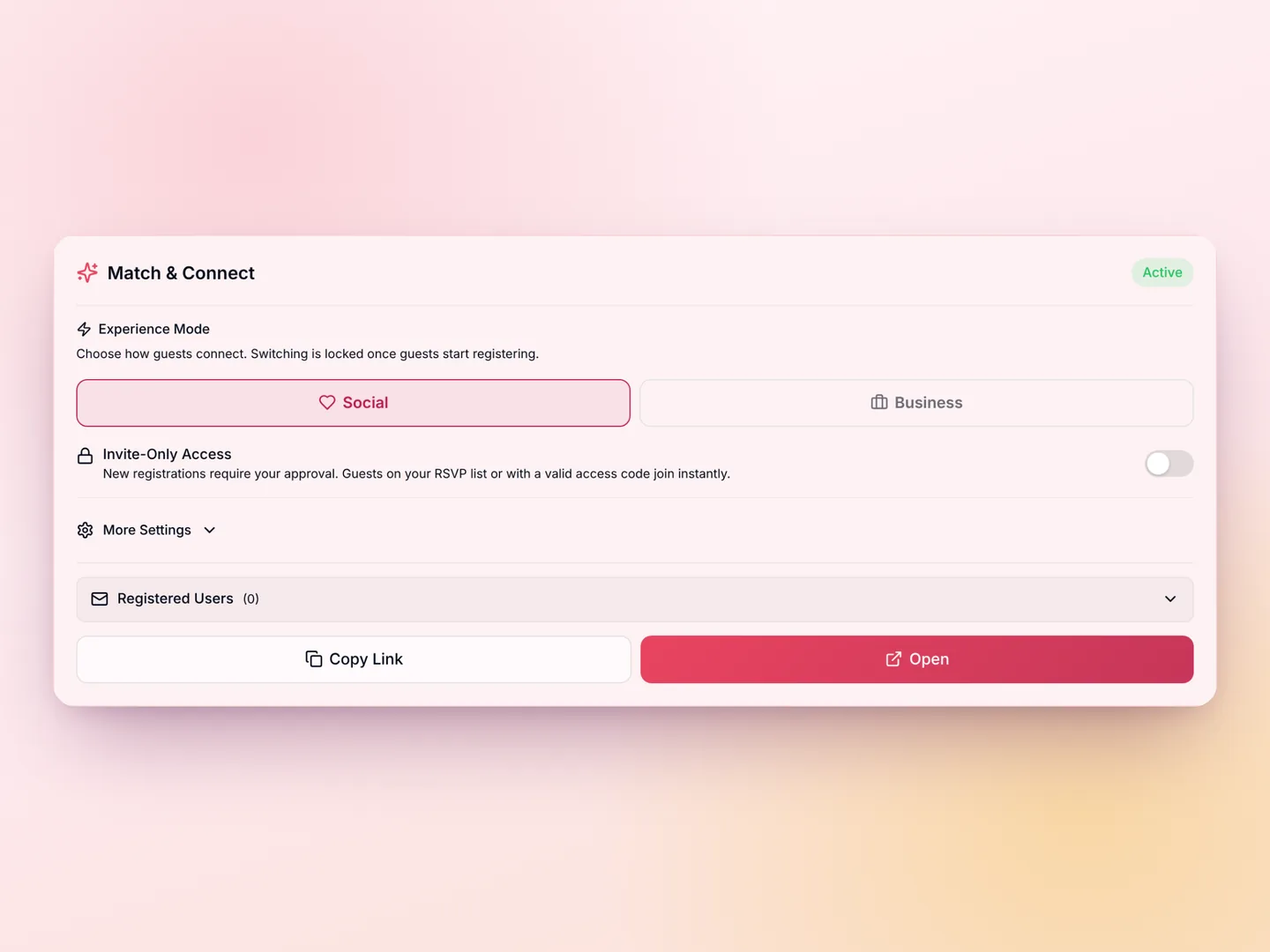
1
Turn it on for your wedding
In your Fotify event, start the free trial with 4 guests, or add Match & Connect for $9.99. It's included in the Professional plan. Keep it in Social mode.
2
Put the QR code where guests will see it
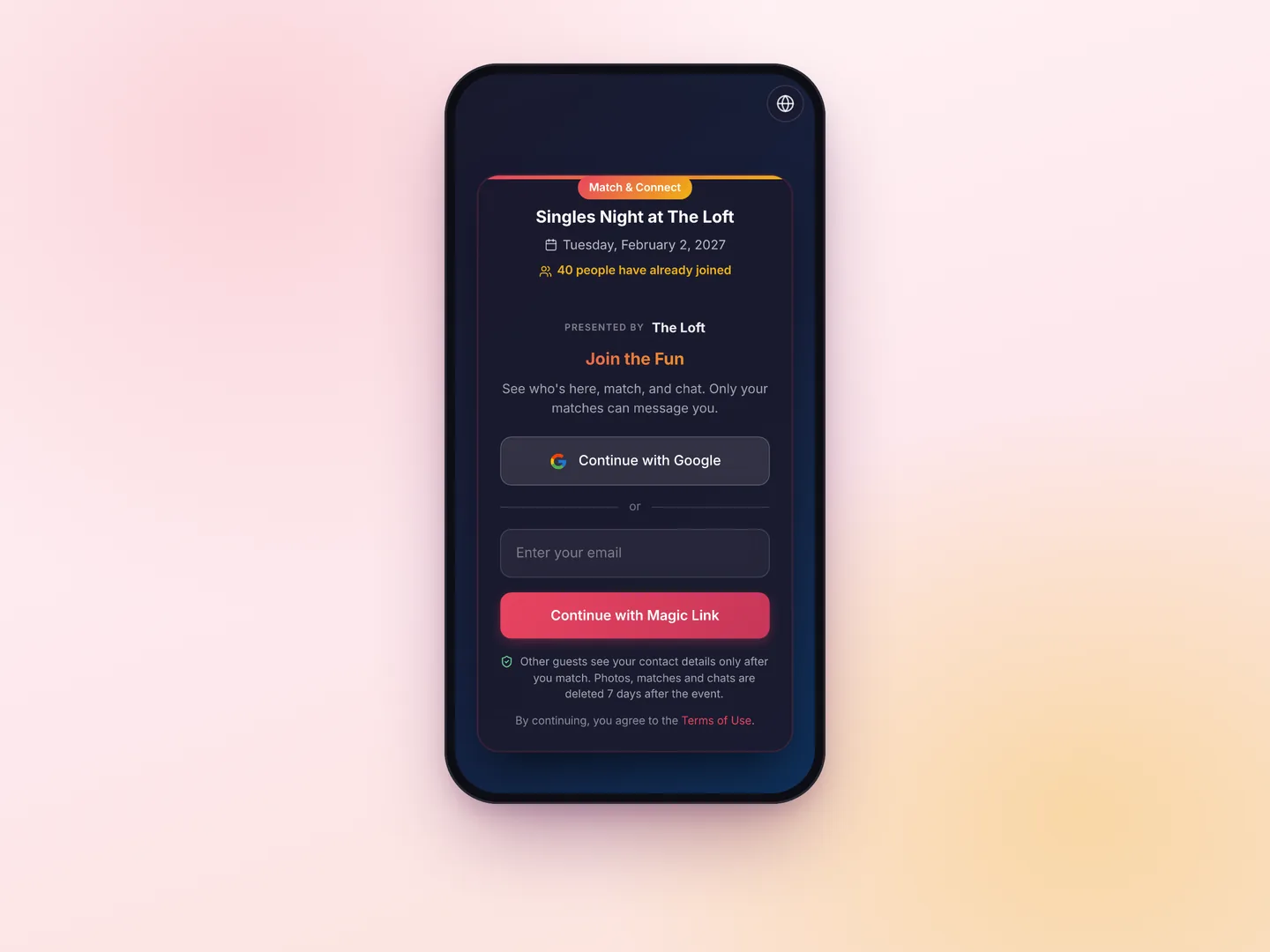
On the place cards, the welcome sign or the bar, or send the link. Guests sign in with Google or a 6-digit code sent to their email, then make their profile.
3
Let it run in the background
Mention it once in the welcome speech. Matches chat and suggest where to meet, and guests who put their phone away get an email when someone likes them back or writes to them.
A wedding matchmaking app instead of a singles table
Match & Connect gives single guests at your wedding a private way to find each other. They open it from a QR code or a link, make a profile with a photo, a first name, a short bio and a few interests, and like or skip the other guests who joined. When two people like each other, they match: they can chat in the app, see any contact details the other chose to share, and suggest a place to meet at the venue. A skip is never shown, and a like that isn't returned is never revealed. It runs in the phone's browser as an add-on to your Fotify event, so nobody has to install anything.
- Only guests who make a profile take part
- Contact details and chat only after a mutual like
- Invite-only access with your RSVP list, access codes and approvals
- A short link like fotify.app/mc/SARAH-AND-DAVID and your own name for the feature
- Sign-in with Google or a code sent by email
- Matches, chats and photos deleted 7 days after the event ends
A Tinder-style wedding icebreaker, without the public part
Guests already know how a swipe deck works, so nobody needs instructions. Unlike an icebreaker game, nothing happens in front of the room: a like stays invisible unless it's mutual, and only the two people who matched find out. They can say hi in the chat, then find each other at the bar or on the dance floor.
Helping the two sides of the wedding meet
At most weddings the couple's friend groups and families meet for the first time, and they tend to stay at their own tables. A profile with a photo, a line about the person and their interests gives guests from the other side something to start a conversation with. Each guest chooses who they'd like to meet and only sees people whose preferences include them too.
Destination and weekend weddings
When guests travel for a wedding, many arrive alone and only know the couple. Share the link at the welcome drinks, and guests can see who else came, match, and plan to meet at the next day's events. Chats stay open while your event is running and for 7 days after it ends. Guests can switch the app to their own language, and interests are shown in each guest's language.
How to add a matchmaking app to your wedding
Open your wedding's event in Fotify and start it. On the Match & Connect card, start the free trial with 4 guests, or add Match & Connect for the whole guest list. Set a short link with your names, turn on invite-only if you only want guests from your RSVP list, and add a few meeting spots like the bar or the terrace. Then print the QR code on the place cards or the welcome sign, and ask your MC to mention it once. The help article goes through every setting.
What guests share, and when it's deleted
Before a match, other guests see only the photos, first name, short bio and interests. Contact details are optional and shown only to matches, and each chat is only between the two people who matched. As the organizer, you see who registered and how many matches there are, never who matched with whom or what they wrote. Seven days after the event ends, matches, messages, photos and contact details are deleted.
Also for parties and conferences
The same add-on works at engagement parties, birthdays and singles nights in Social mode. For conferences and networking events there's Business mode, where attendees share their role, company and goals instead of dating preferences.
Choose Your Perfect Plan
Start creating unforgettable events with our flexible pricing options
100% Money Back Guarantee
Try Fotify risk-free. If you're not completely satisfied with your event, we'll refund your purchase. No questions asked.
View our refund policy →Wedding matchmaking app: frequently asked questions
What couples ask before adding Match & Connect
What is a wedding matchmaking app?
An app that helps single guests at a wedding find each other. With Match & Connect, guests scan a QR code, make a short profile and browse the other guests who joined. When two people like each other, they match and can chat in the app. It's an add-on to your Fotify event.
How is it different from a singles table?
A singles table tells everyone who's single. Here, guests take part from their own phone, a skip is never shown, and a like is only revealed when it's mutual. Guests who don't make a profile aren't part of it.
Is it a Tinder-style wedding icebreaker?
The deck works like the dating apps guests know: like or skip a profile, and it's a match when the like is mutual. Profiles have up to 3 photos, a short bio and up to 5 interests. Matches can chat, see the contact details the other person chose to share, and suggest where to meet at the venue.
Can I limit it to our wedding guests?
Yes. With invite-only access, guests on your Fotify RSVP list get in straight away. You can also upload a list of emails or hand out access codes, for example to the wedding party. Anyone else waits for your approval.
Do guests need to download an app?
No. It opens in the phone's browser from the QR code or the link. Guests sign in with Google or with a 6-digit code sent to their email. If you run it on your own domain, guests sign in by email.
Can I give it another name?
Yes. You can rename the feature for your guests, for example "Guest Connect" or "Meet & Greet", and use a short link like fotify.app/mc/SARAH-AND-DAVID.
How much does it cost?
It's $9.99 per event, and it's included in the Professional plan. You can try it first with 4 guests for free, and the matches made during the trial are kept when you add it. There's no subscription and no price per guest.
Is it only for single guests?
It's made for meeting people, and at weddings that mostly means single guests. Anyone with the link can make a profile, though, unless you make it invite-only, and guests who'd rather make friends can say so in their bio.
What if some guests don't want to use it?
They don't have to do anything. Only guests who make a profile appear in the deck, so nobody is included without signing up.
Does it work for destination weddings?
Yes. Guests who arrive alone can use it from the welcome drinks on. It works while your event is running, and matches can keep chatting for 7 days after the event ends.
Can we see who matched with whom?
No. The Match & Connect card shows how many guests made a profile, how many matches there are, and the list of registered guests. You never see who matched with whom or read their messages.
Does it work with our Fotify wedding event?
Yes. Match & Connect is an add-on to a Fotify event, so it runs next to your photo sharing, and in invite-only mode it lets in the guests on your RSVP list. Guests make a separate Match & Connect profile when they join.
Give your single guests a way to meet
Try it with your first 4 guests before you pay anything.
Start the free trial$9.99 per event after the trial · Included in Professional
Free trial